HoneyBook AI | AI-Powered CRM Tools for Creative Professionals
Years: 2022–2025 Role: Senior Product Designer, Core AI Product Initiatives HoneyBook is an all-in-one business management platform for creative professionals, offering tools for lead management, client communication, project tracking, and payments. Its AI features aim to serve as a "business partner," helping users manage client relationships, streamline business processes, improve efficiency, and gain better visibility and control.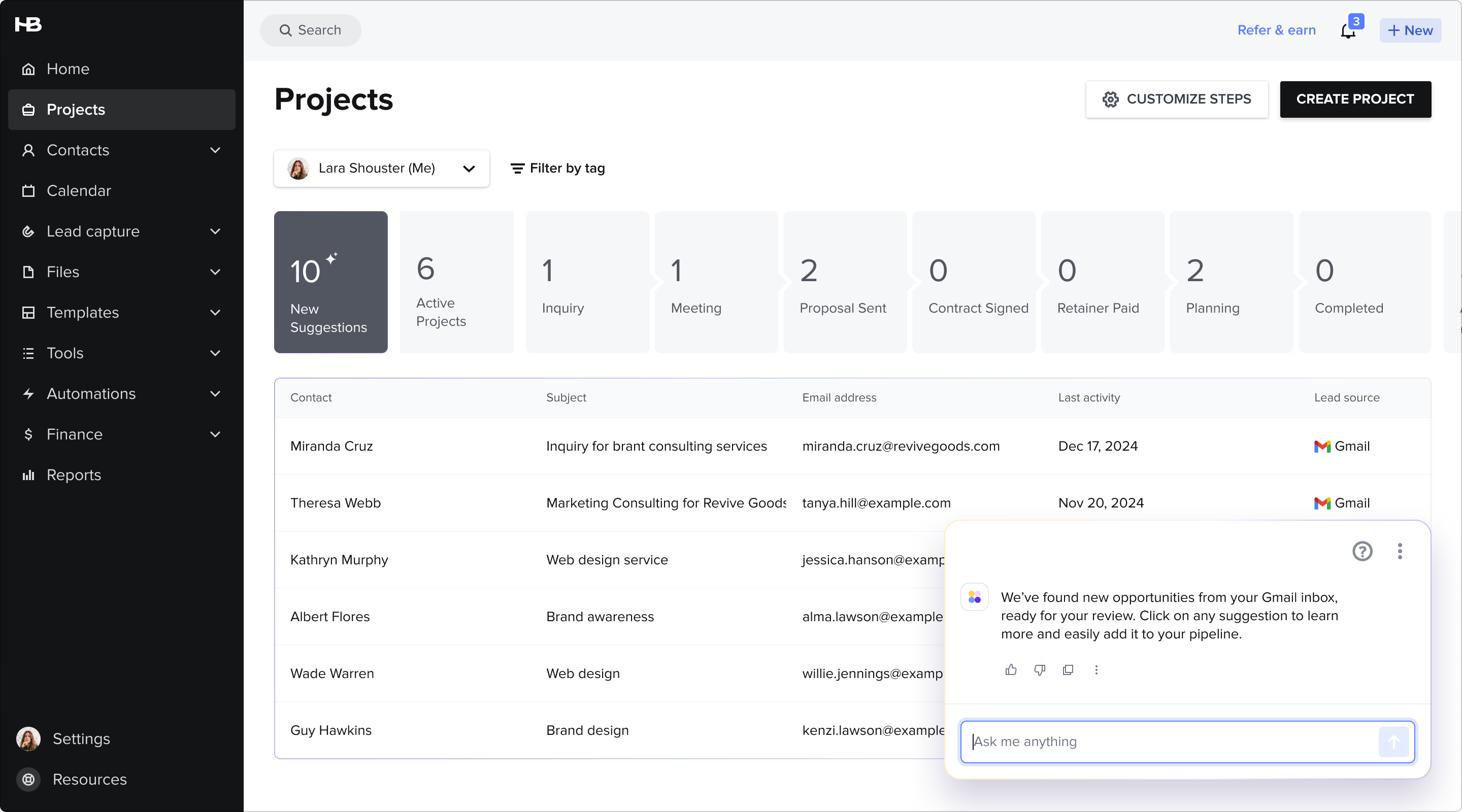
AI-Powered lead management: User journey

Meet Anna, a graphic designer and founder of her small business "Unfold." Over three years, Anna has built a successful design studio offering logo creation, brand strategy, website design, and marketing materials. Her work is thriving, but as business grows, she faces new challenges: managing a flood of client inquiries, staying on top of follow-ups, and organizing client information without spending hours on admin work. Here's how HoneyBook's AI features help Anna streamline her business.
Solution: AI Gmail import & data enrichment
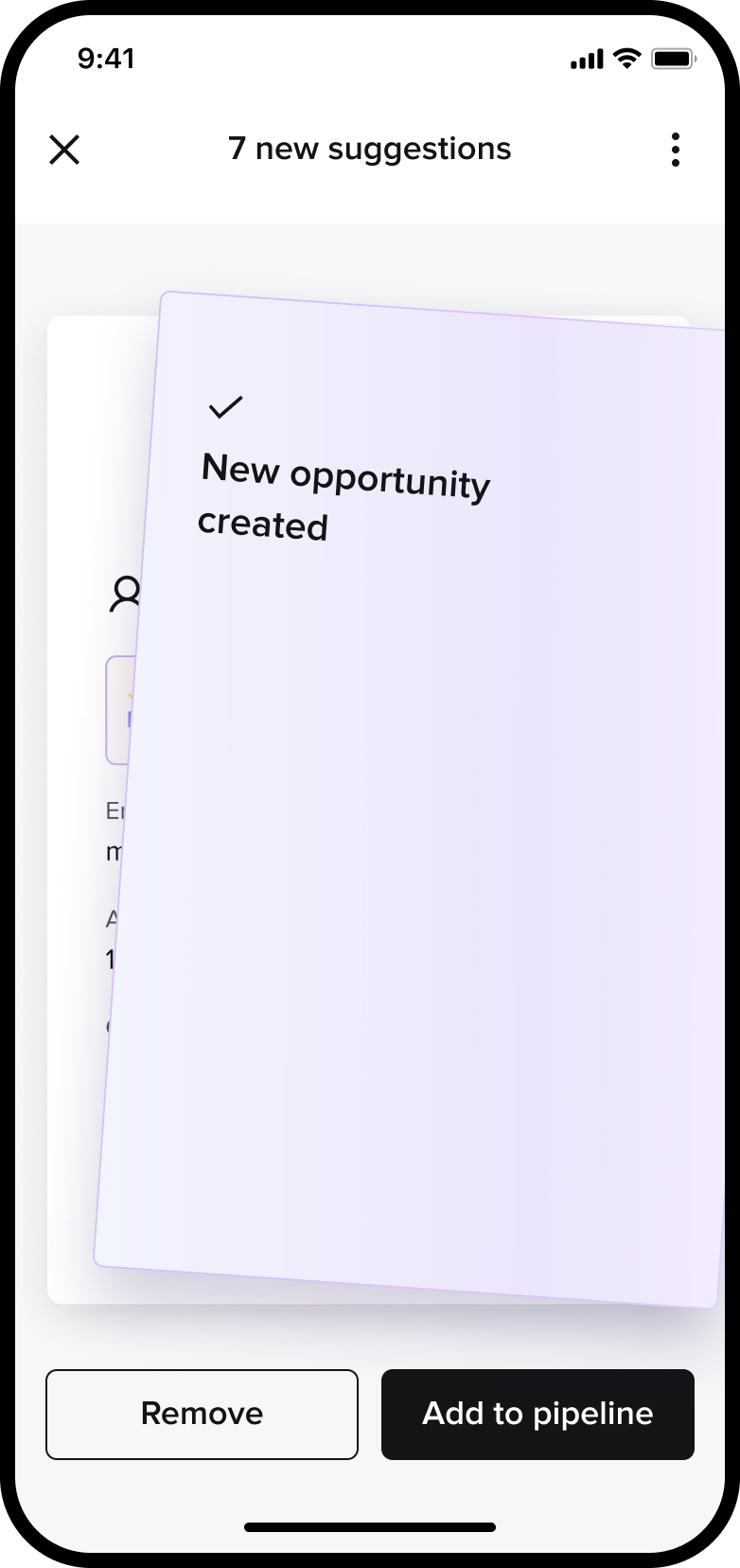
HoneyBook's AI scans Anna's Gmail inbox, importing both past and ongoing inquiries to centralize her lead management in one place. This helps her uncover cold opportunities that might have been lost and enables her to follow up quickly. Each lead suggestion is automatically enriched with relevant details, saving time and providing a more complete picture of the contact, allowing Anna to make informed decisions effortlessly.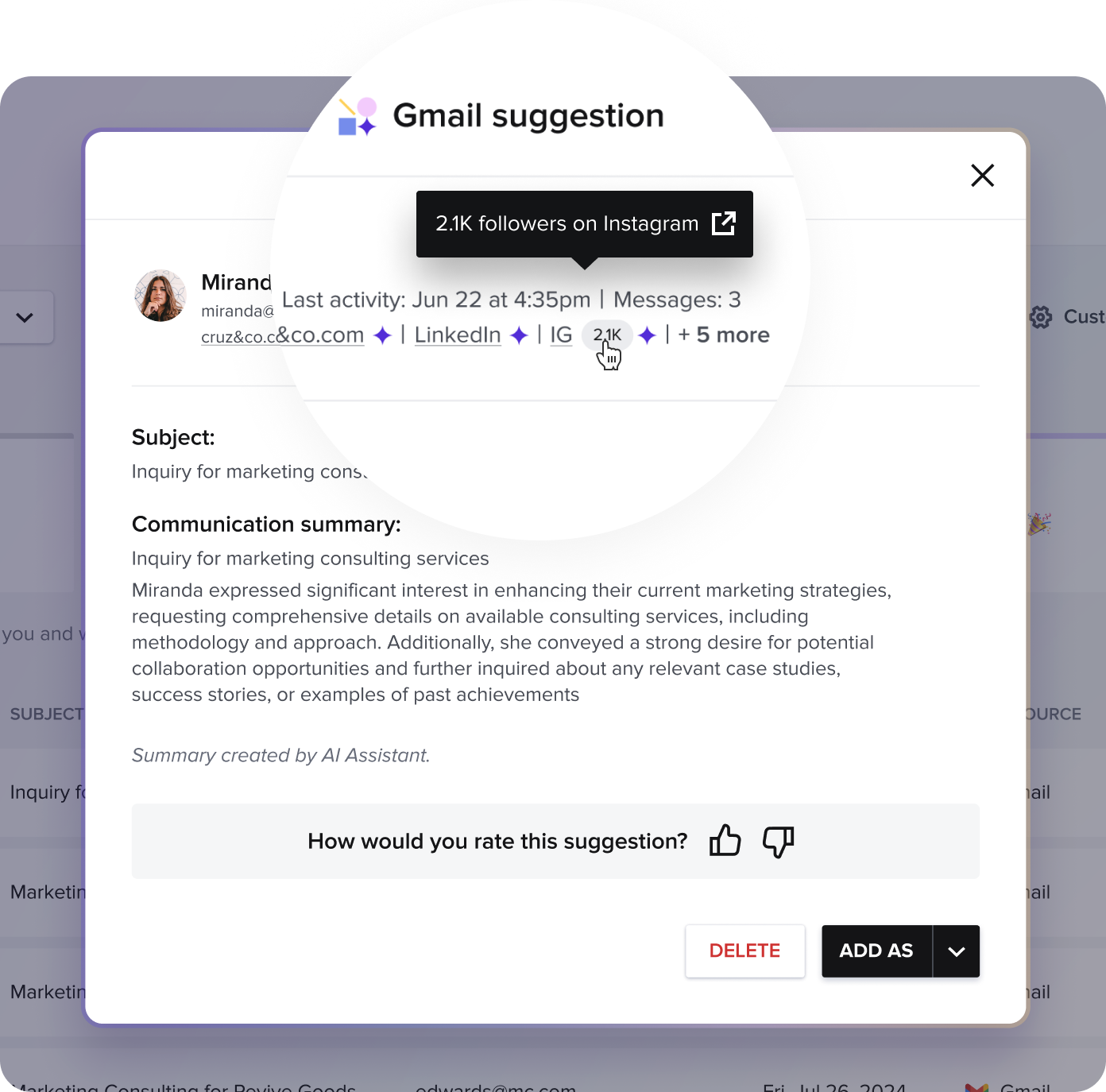

Solution: AI Composer
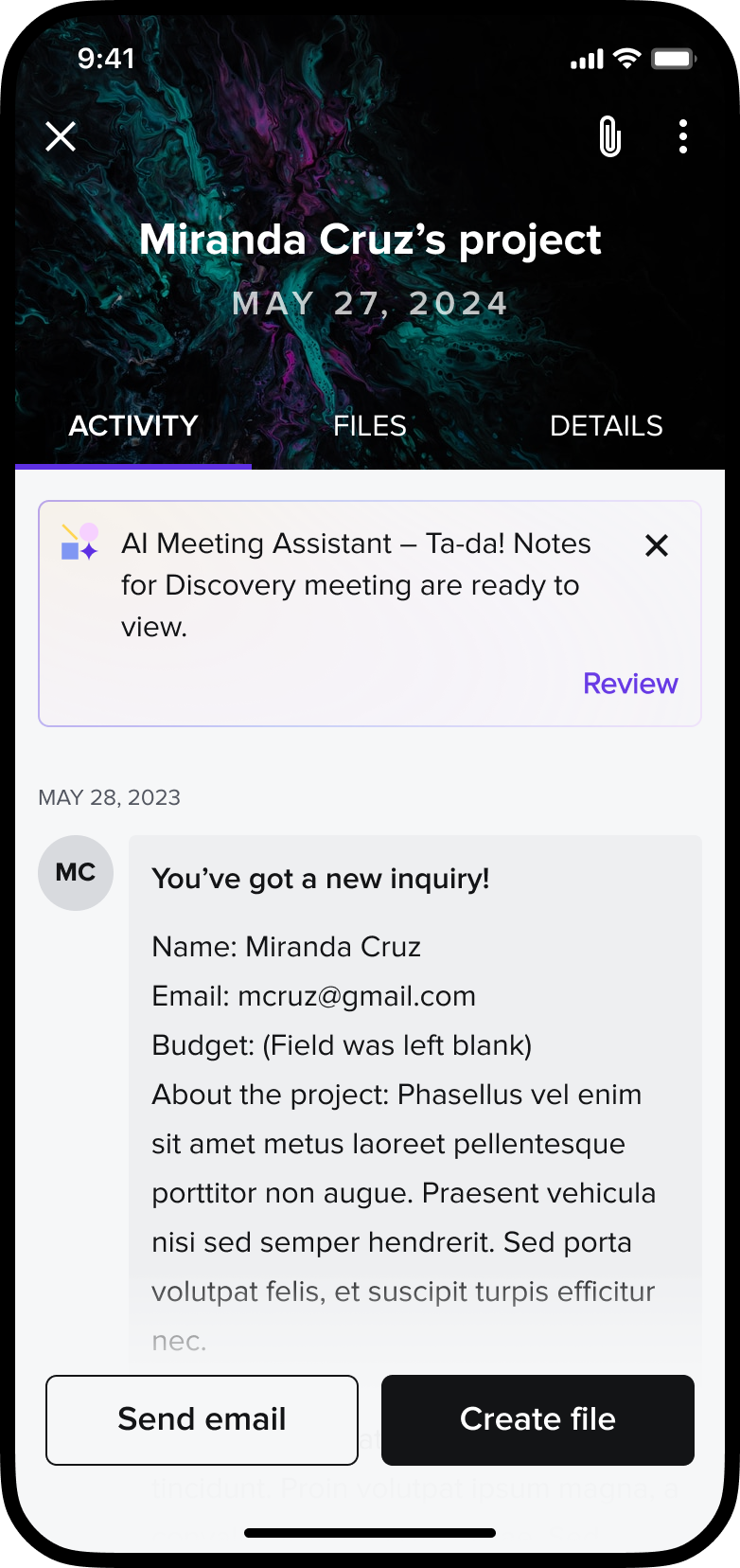
When Anna opens Miranda's project, an AI-generated draft instantly appears with a suggested reply. She can quickly review, edit manually, or regenerate a new version, making responses faster and more efficient while maintaining a personal touch.
Solution: AI Meeting Recap & task generator
Using the app, Anna records her client meeting, allowing AI to generate a transcript and summarize key points. When she opens the project, an AI-generated meeting recap provides key notes and suggested action items. The system recommends tasks like sending a proposal or scheduling a follow-up meeting, keeping her organized and ensuring nothing falls through the cracks.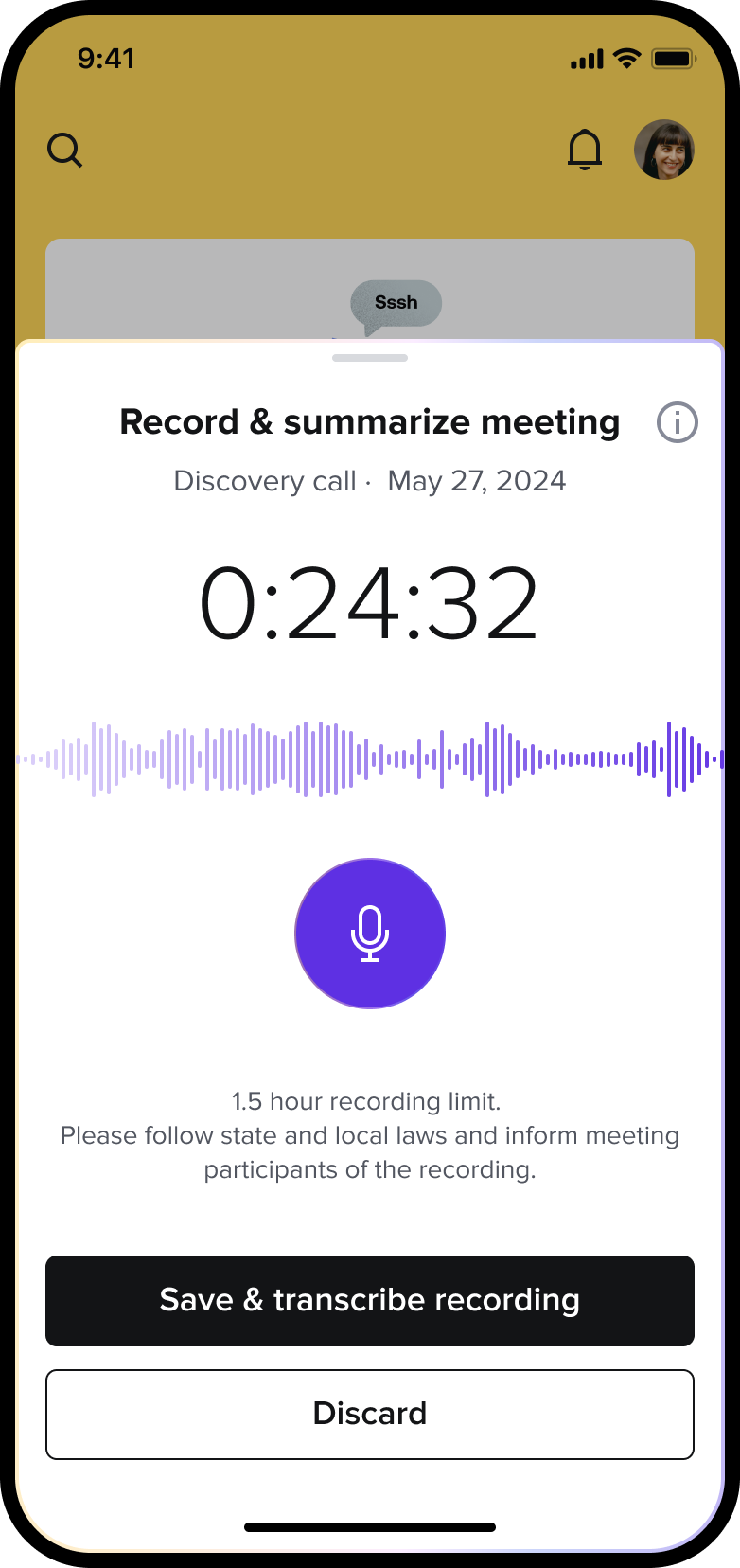


Bizzabo | Networking Solution for virtual & hybrid use cases
Years: 2021–2022
Role: Lead Product Designer
Bizzabo is an all-in-one event-planning solution designed to help organizers create business events of all types, including in-person, virtual, and hybrid events.
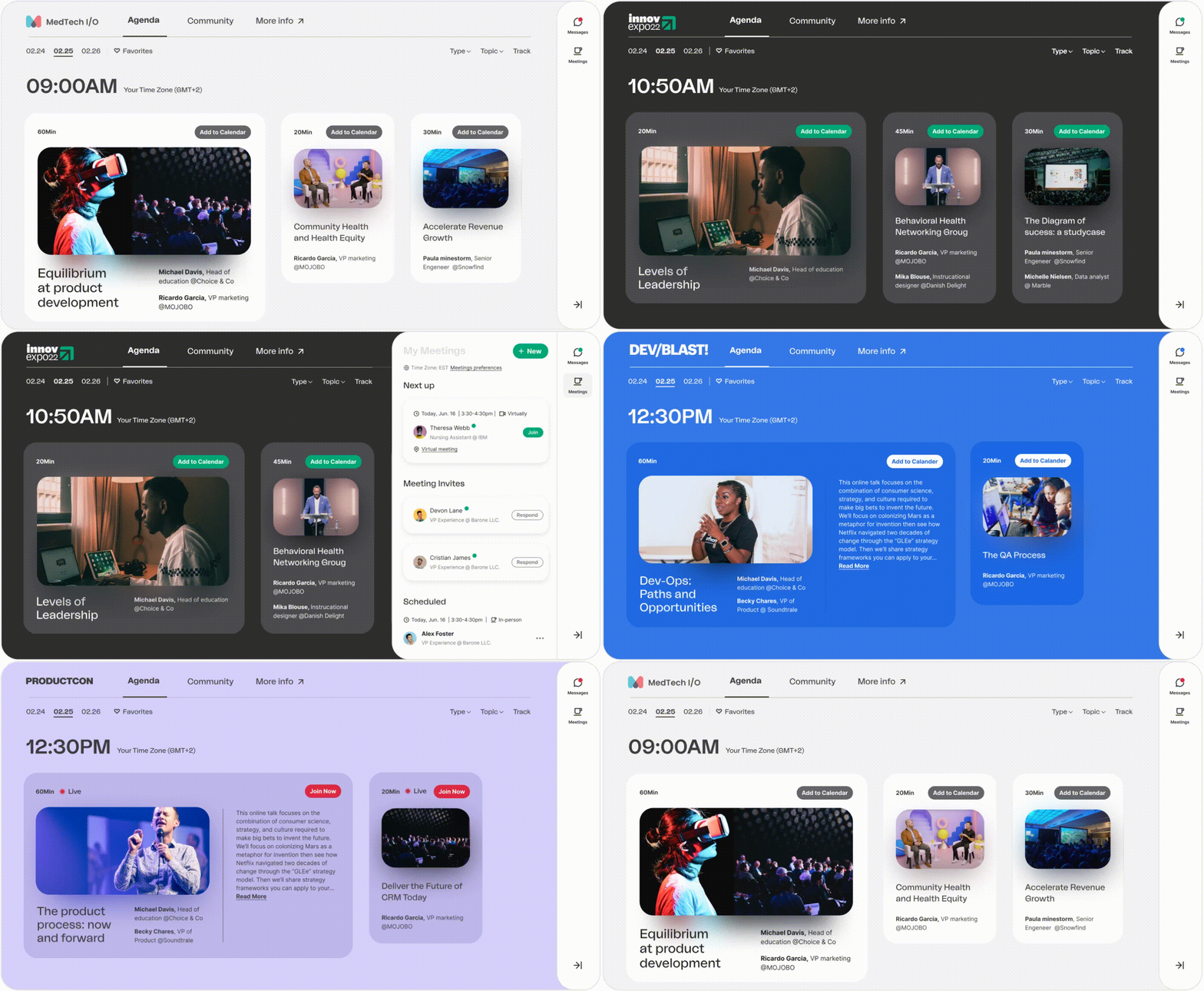
The Event Experience OS is an open platform that allows event experience leaders to manage events, engage audiences, activate communities, and deliver powerful business outcomes. The new platform is aimed at restoring aspects of human interaction and networking lost in the translation to the virtual world after Covid19.

Product objective
Enable event attendees to achieve their personal and professional networking goals by facilitating meaningful communication and connections at every event. Support them in managing and deepening these relationships before, during, and after the event.
The Challenges
Attendees in virtual meetings faced both practical and emotional challenges, including managing packed schedules, time zone conflicts, and balancing personal availability. Many were hesitant to connect, while organizers struggled with low engagement. Virtual fatigue added another barrier, further complicating the networking experience.
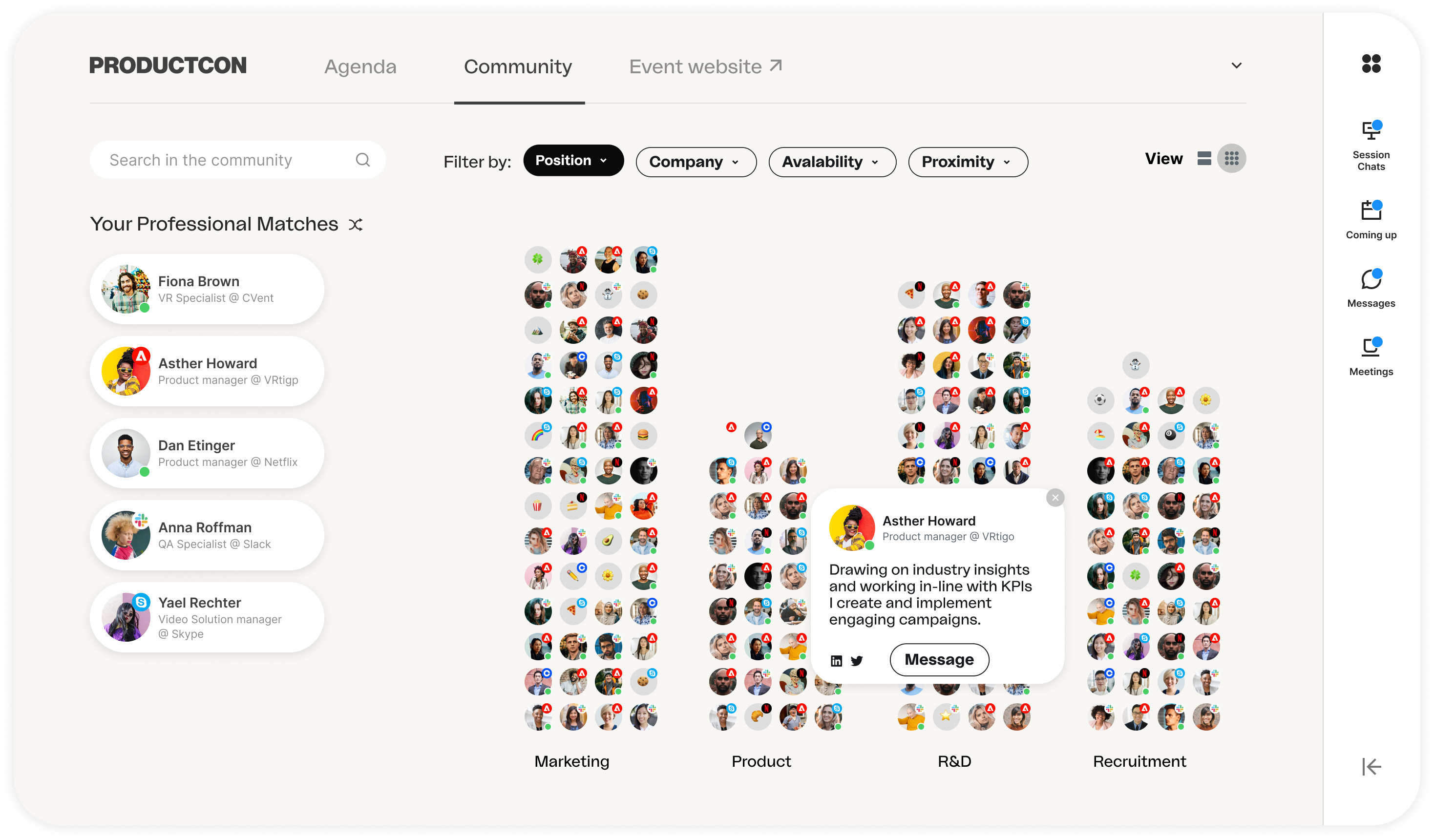
Virtual Communities: Attendees explore and connect with others who share similar interests,
professions, or locations, fostering targeted networking and meaningful relationships.
Networking solution
The scheduling tool supports virtual, hybrid, and in-person meetings, streamlining the process to address challenges like complex agendas, time zones, and varying availability. To overcome motivation gaps between organizers and attendees, I designed a user journey that guides attendees through an easy exploration of their networking goals and interests, encouraging them to connect confidently.
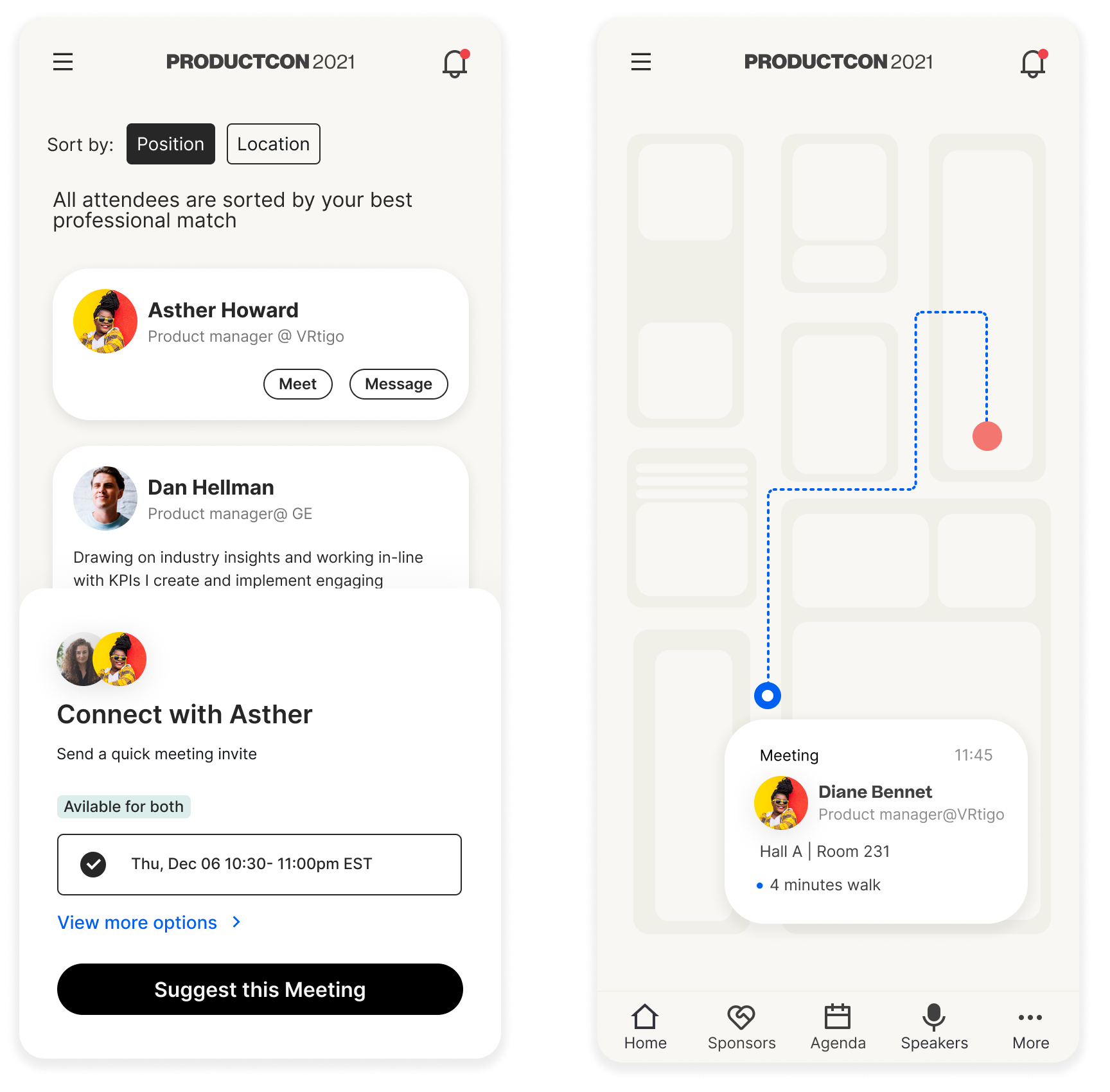 Scheduled Meetings: Attendees set availability and use AI-driven tools to book seamless 1:1 meetings during the event.
Research and product vision
Riskified website | Fraud Detection Web Application
Years: 2018 - 2019
Role: Senior Product & Marketing Designer
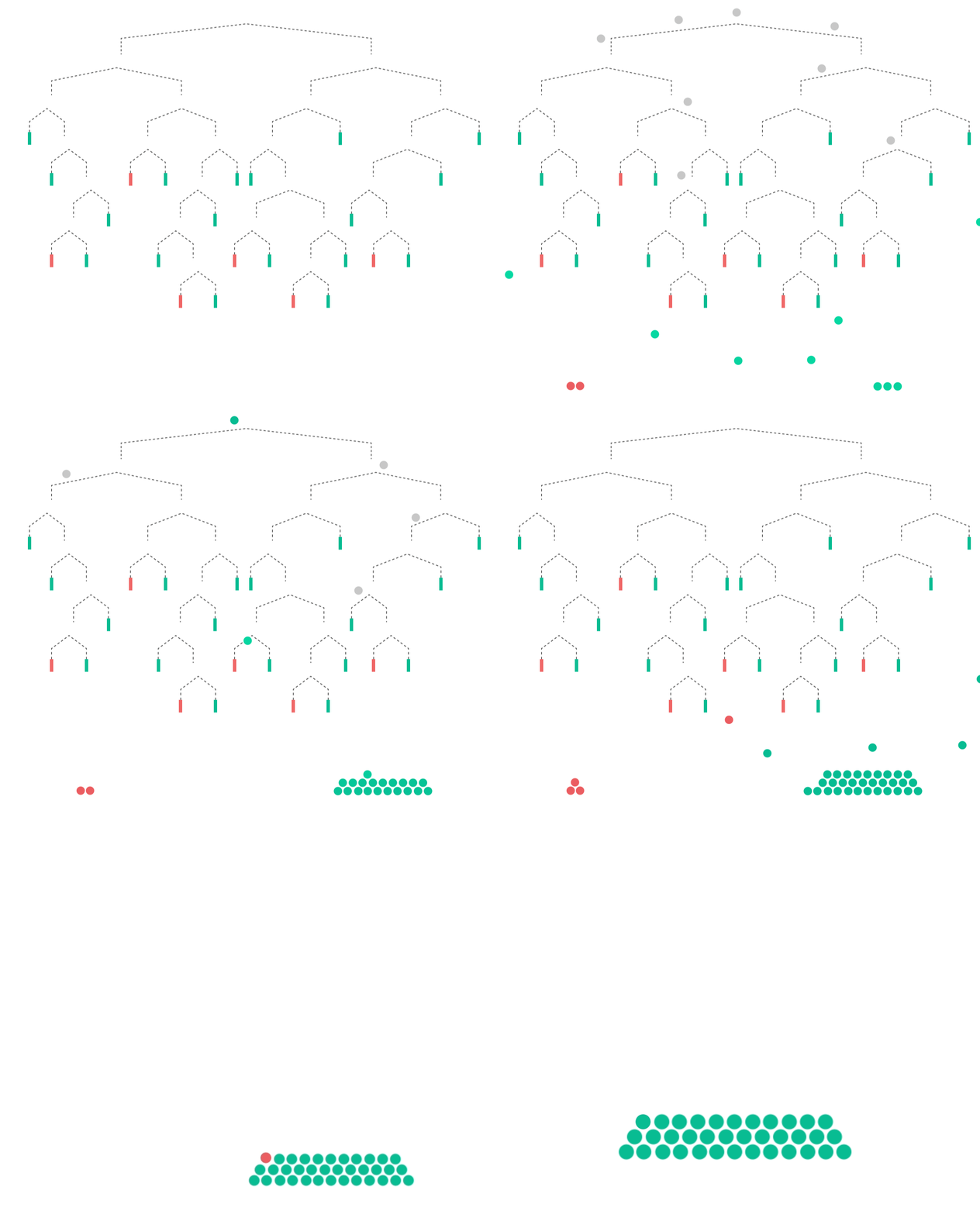
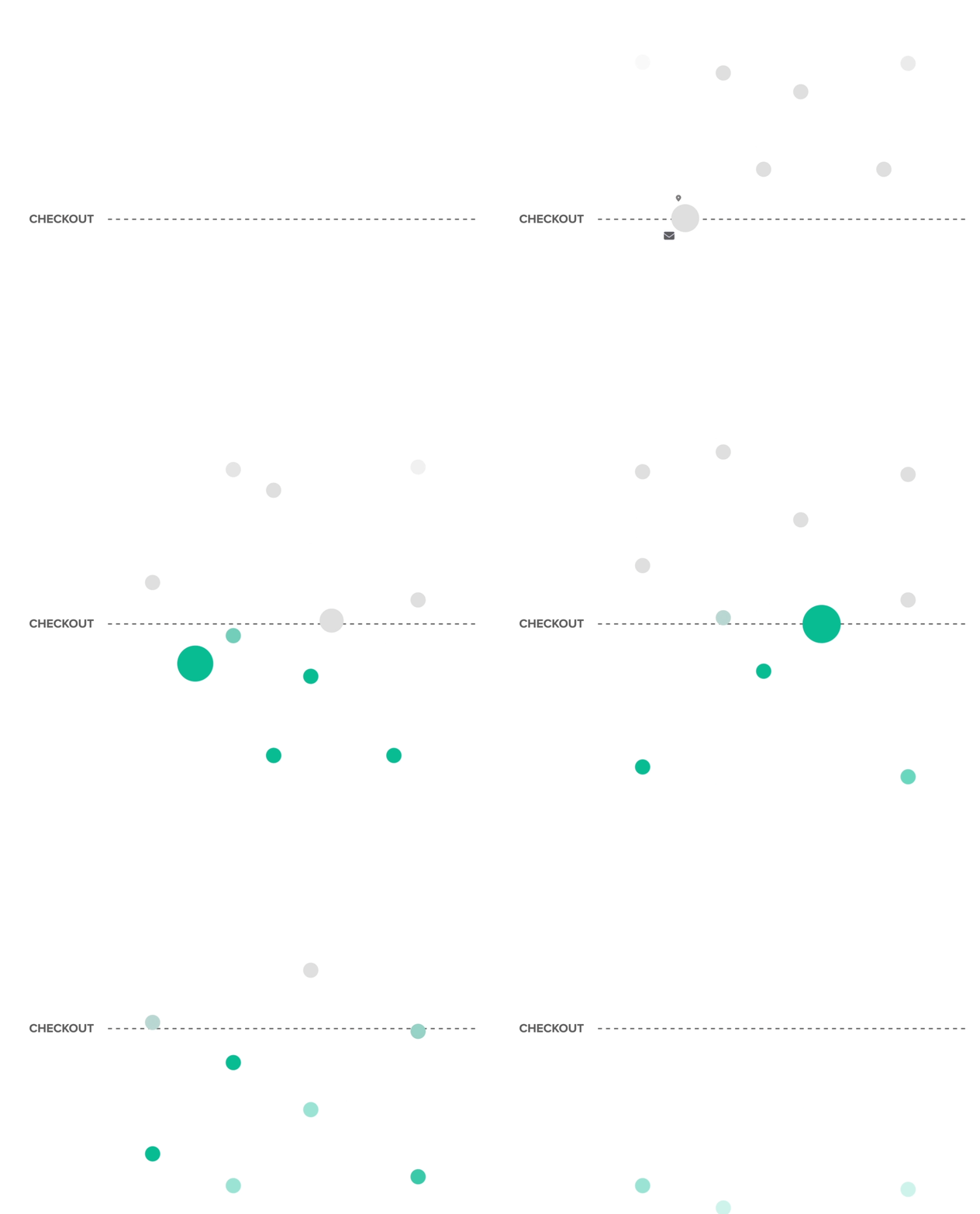
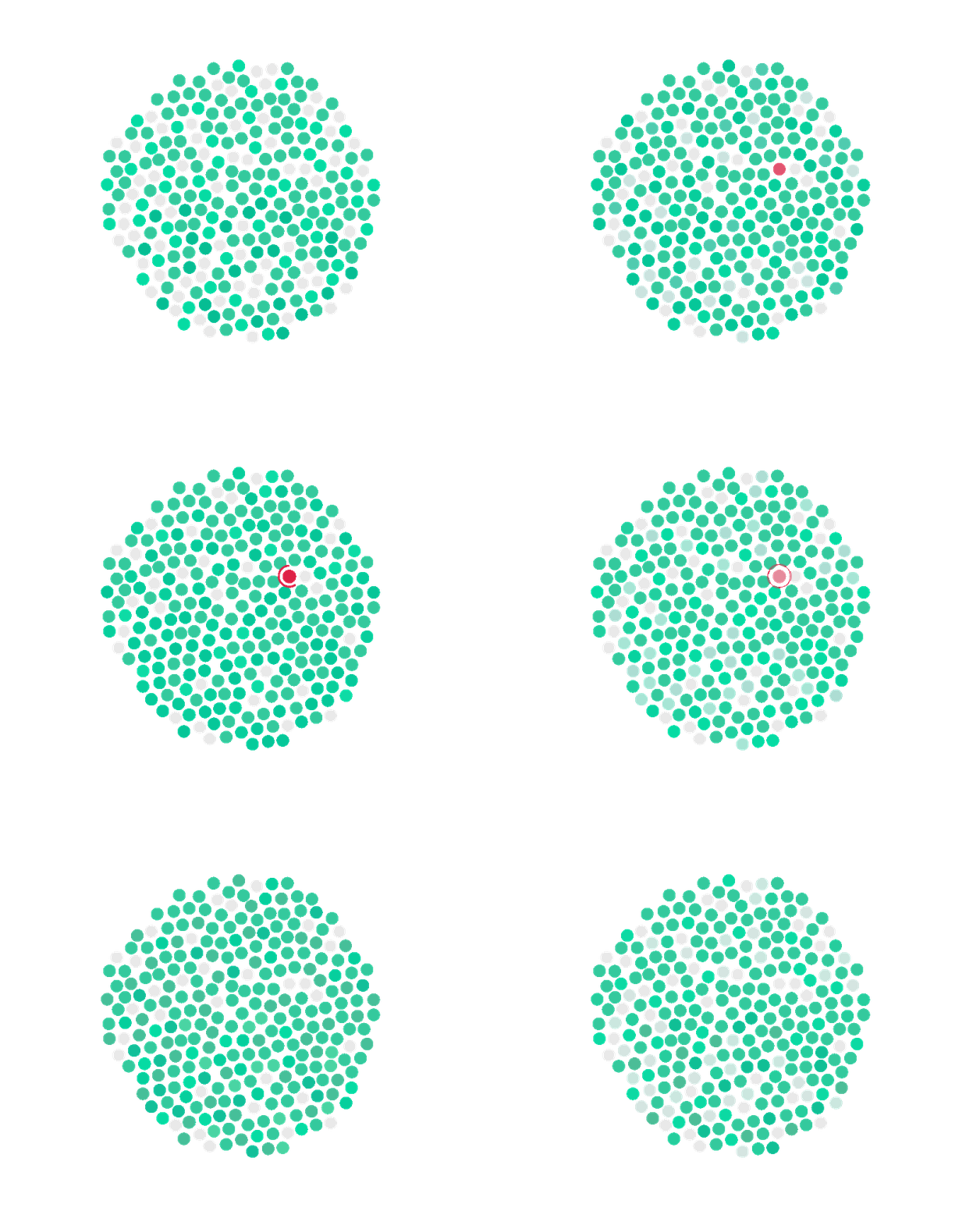
Riskified is a SaaS fraud-detection platform used by global e-commerce merchants. I worked across both the core web application and the marketing website, shaping product experiences and translating complex risk systems into clear, data-driven interfaces.
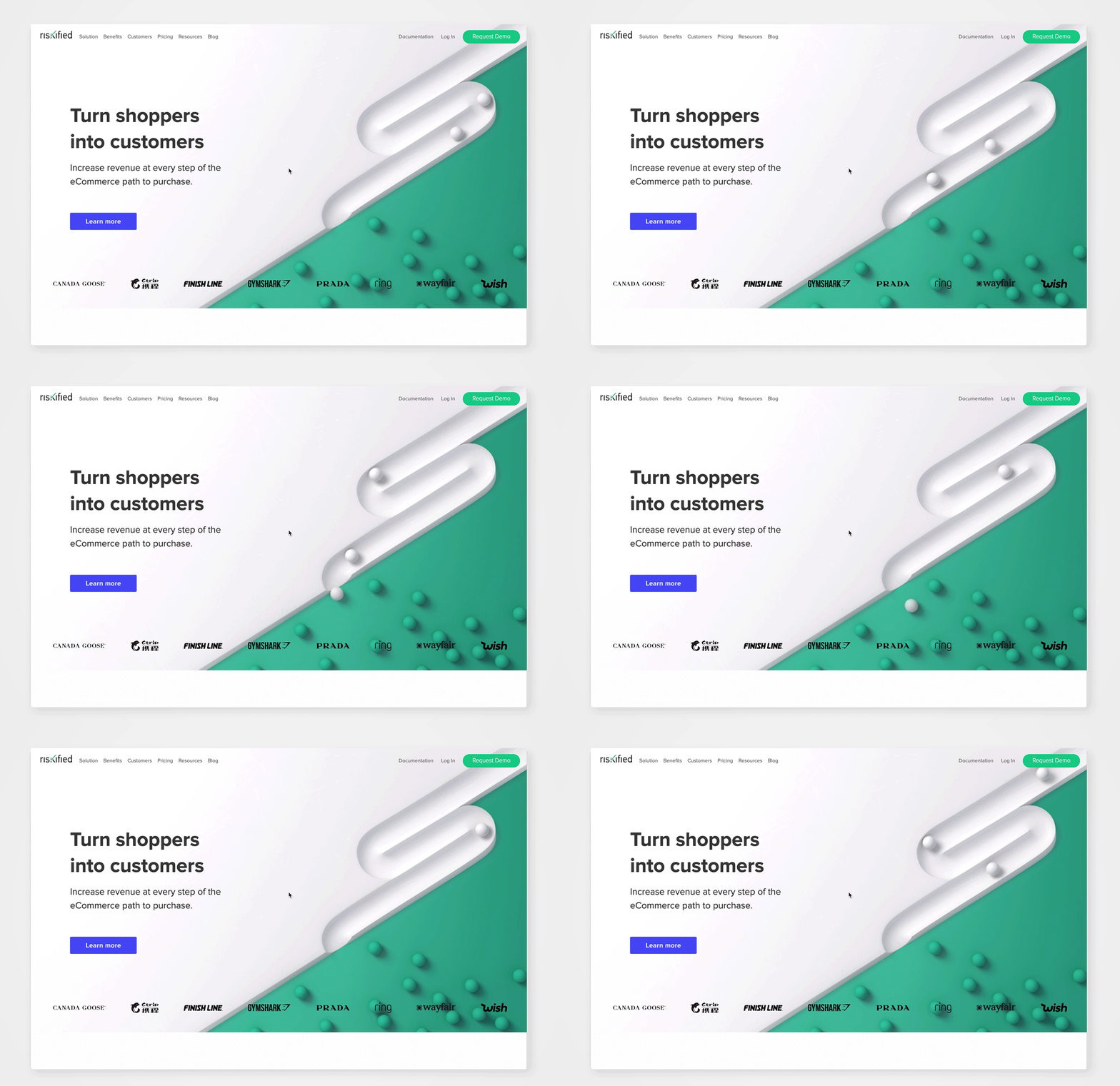
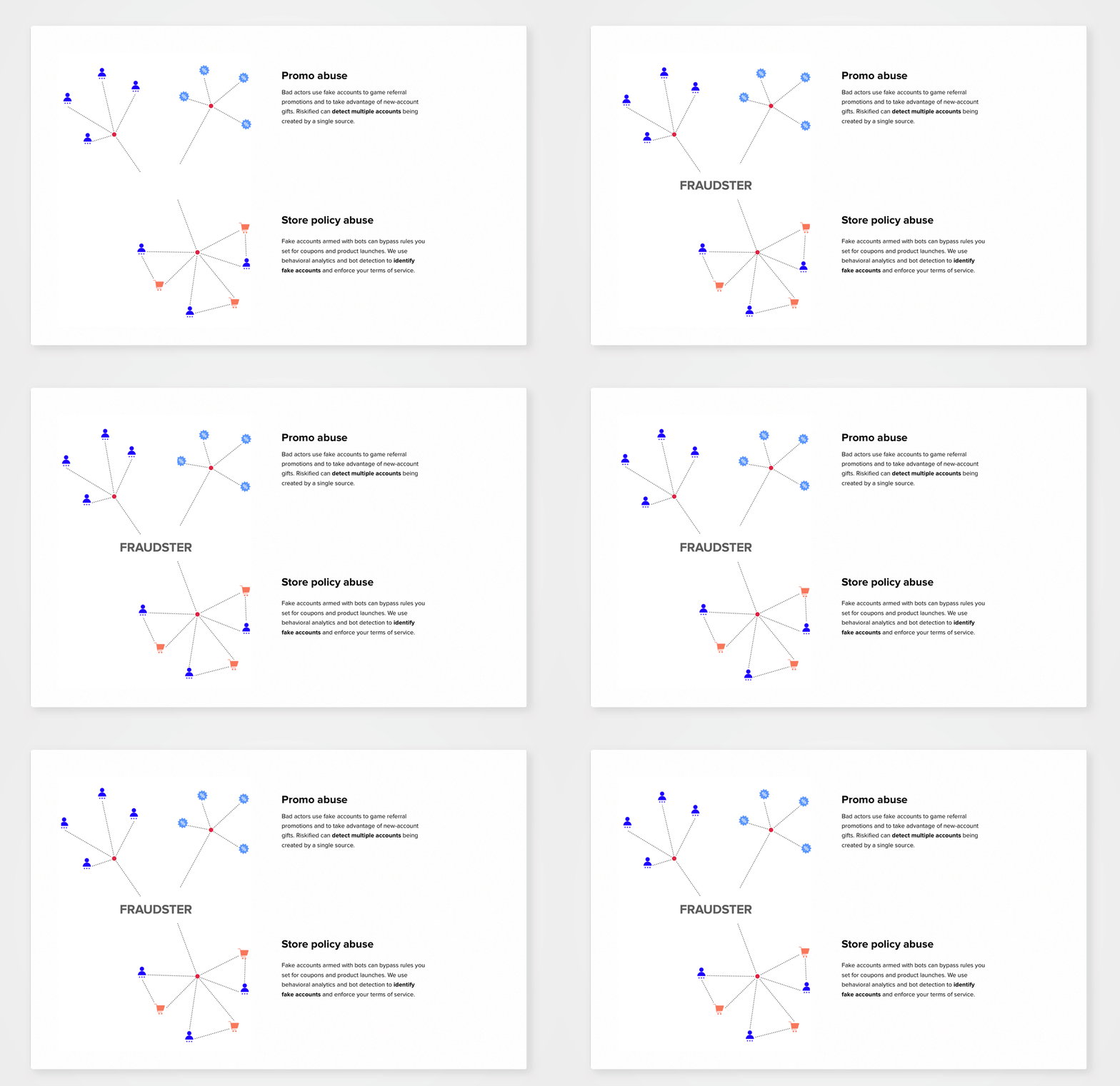
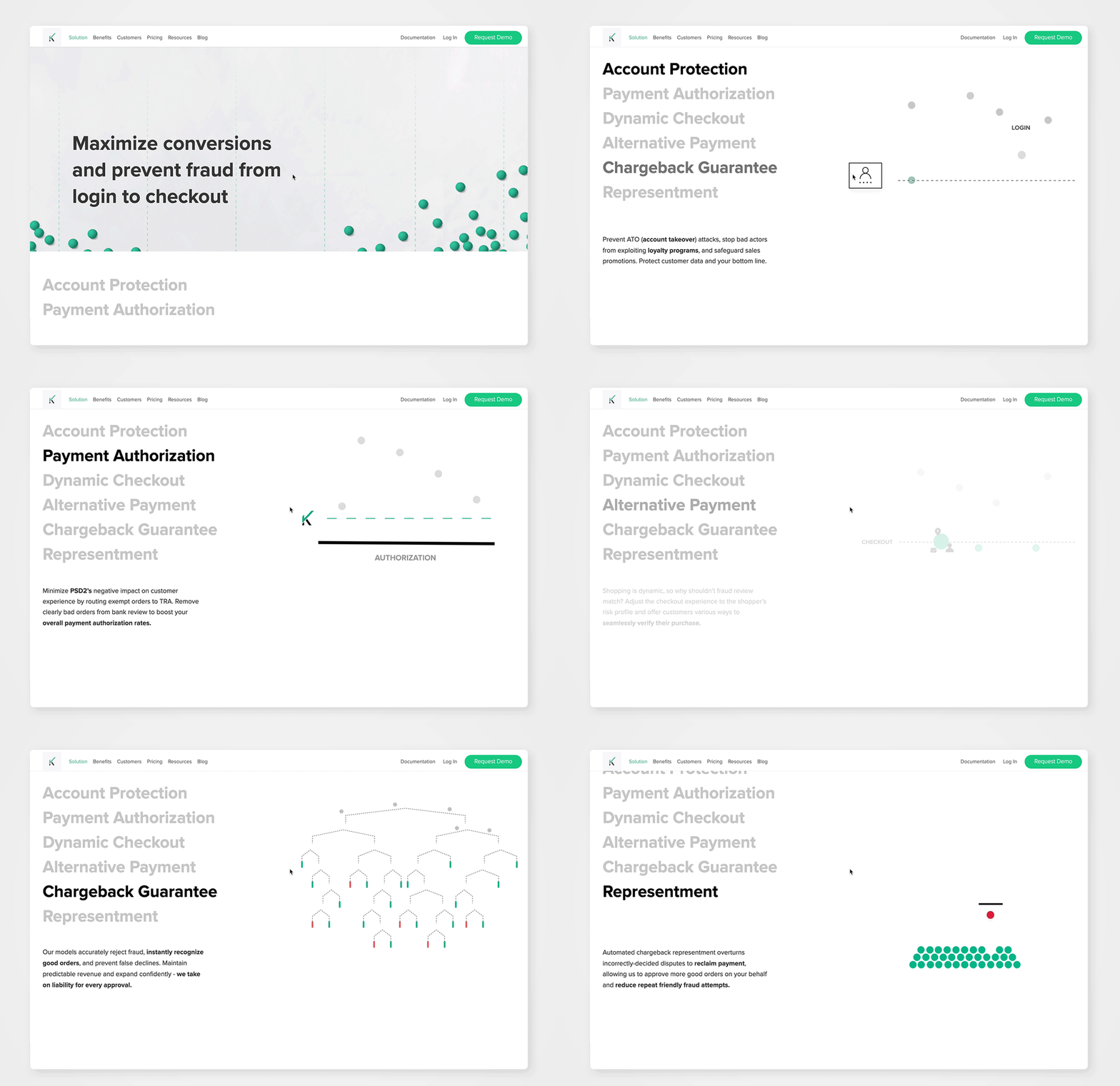
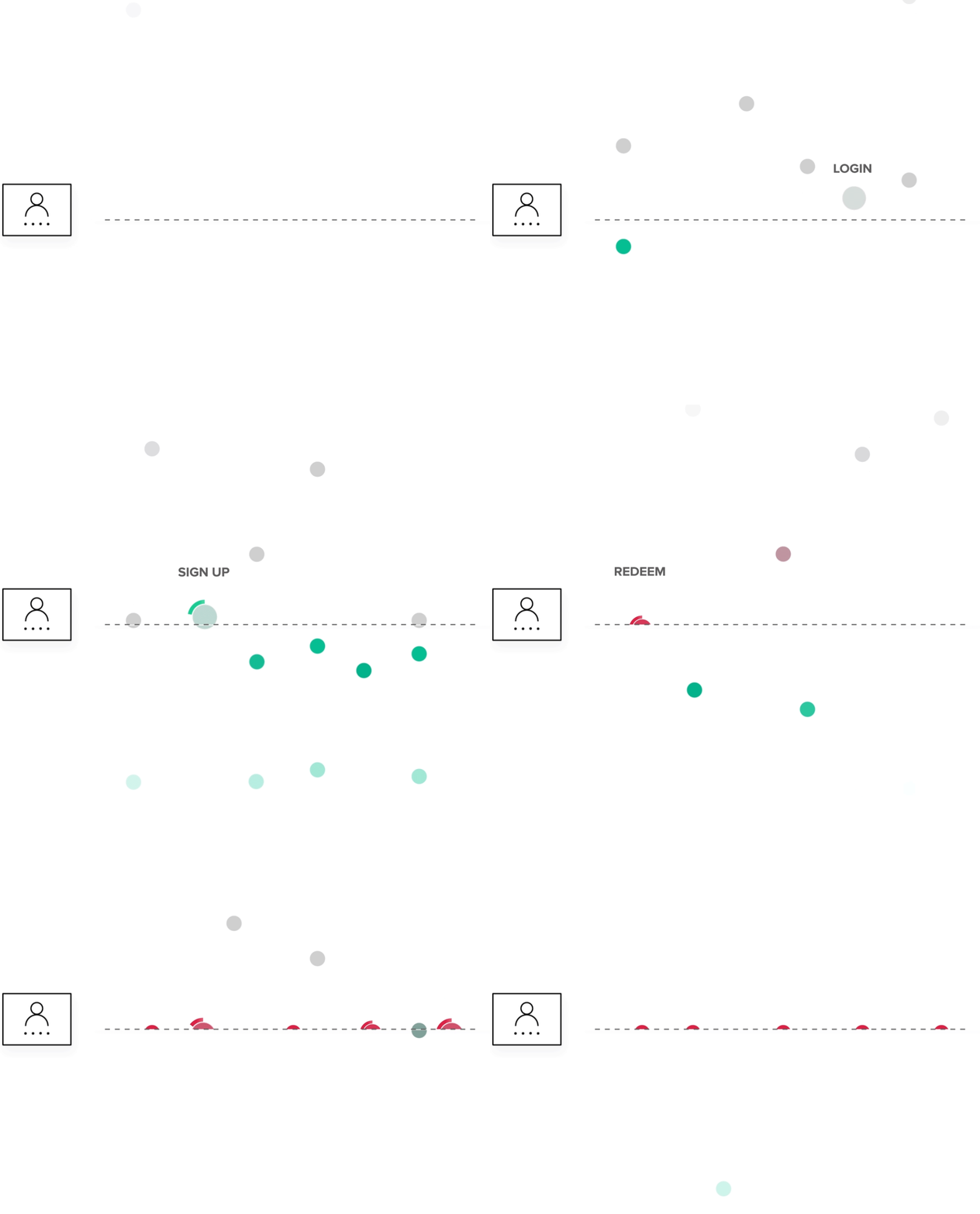
Data visualization design & animations




Riskified | Fraud Detection Web Application
Years: 2017–2018
Role: Senior Product Designer
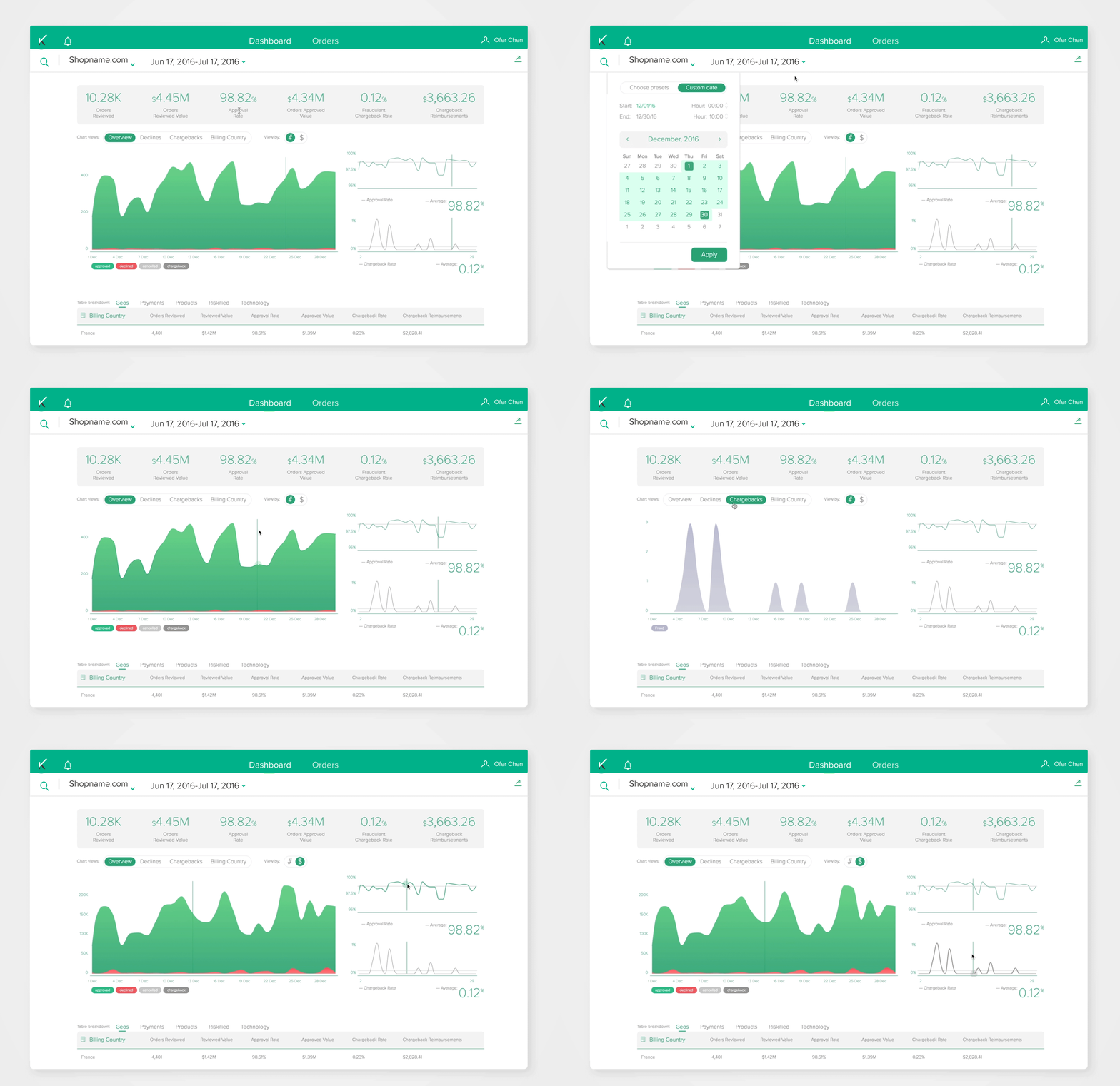
Riskified is a SaaS fraud-detection platform used by e-commerce merchants to monitor transaction approvals, declines, and order-level risk data. The web application provides visibility into automated decisions and supports operational workflows at scale.
Two primary user types:
Administrators
Need a high-level overview of transferred orders, approval rates, and reasons for declines. Primarily use the dashboard view.
Administrators
Need a high-level overview of transferred orders, approval rates, and reasons for declines. Primarily use the dashboard view.
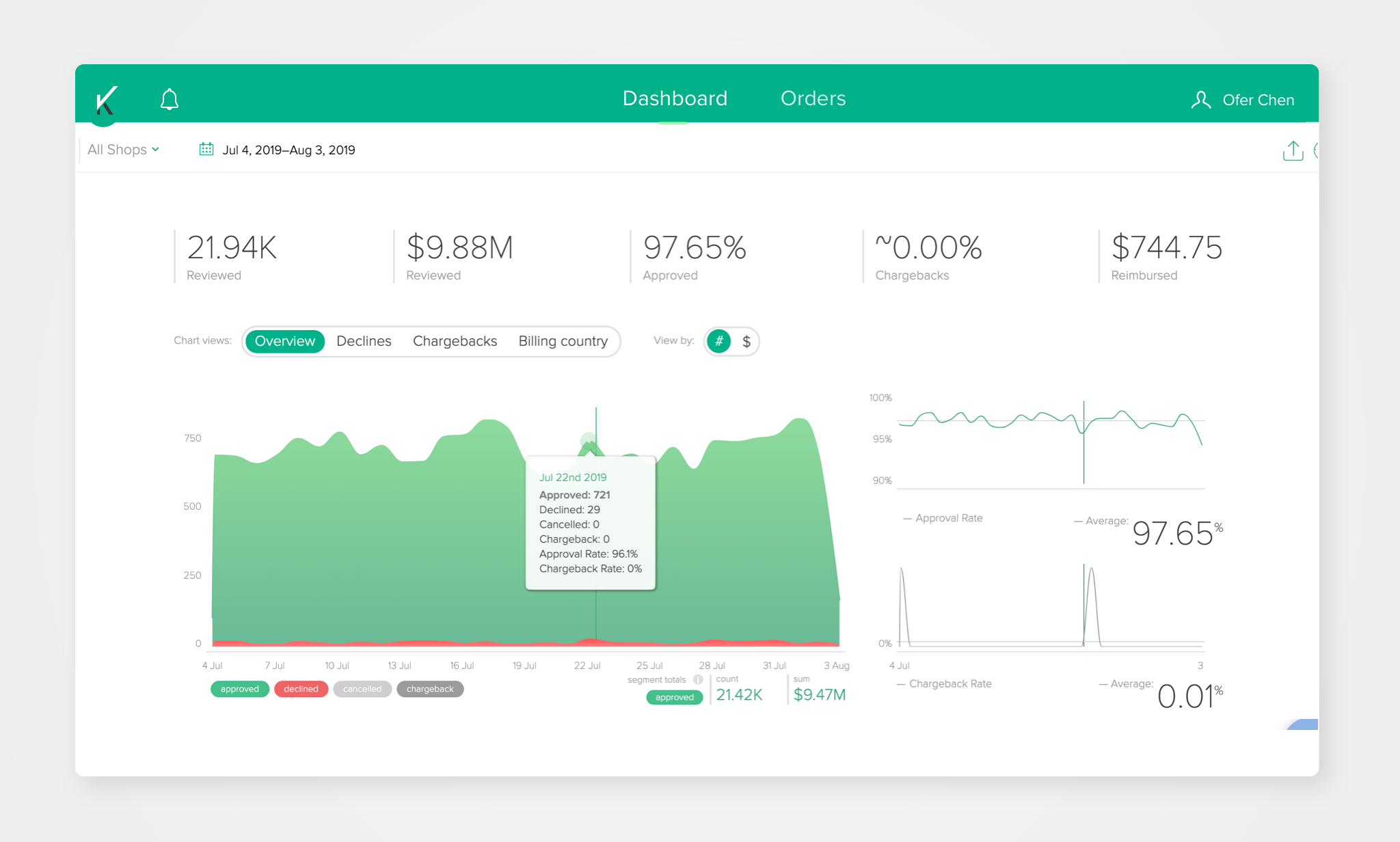
Dashboard tab
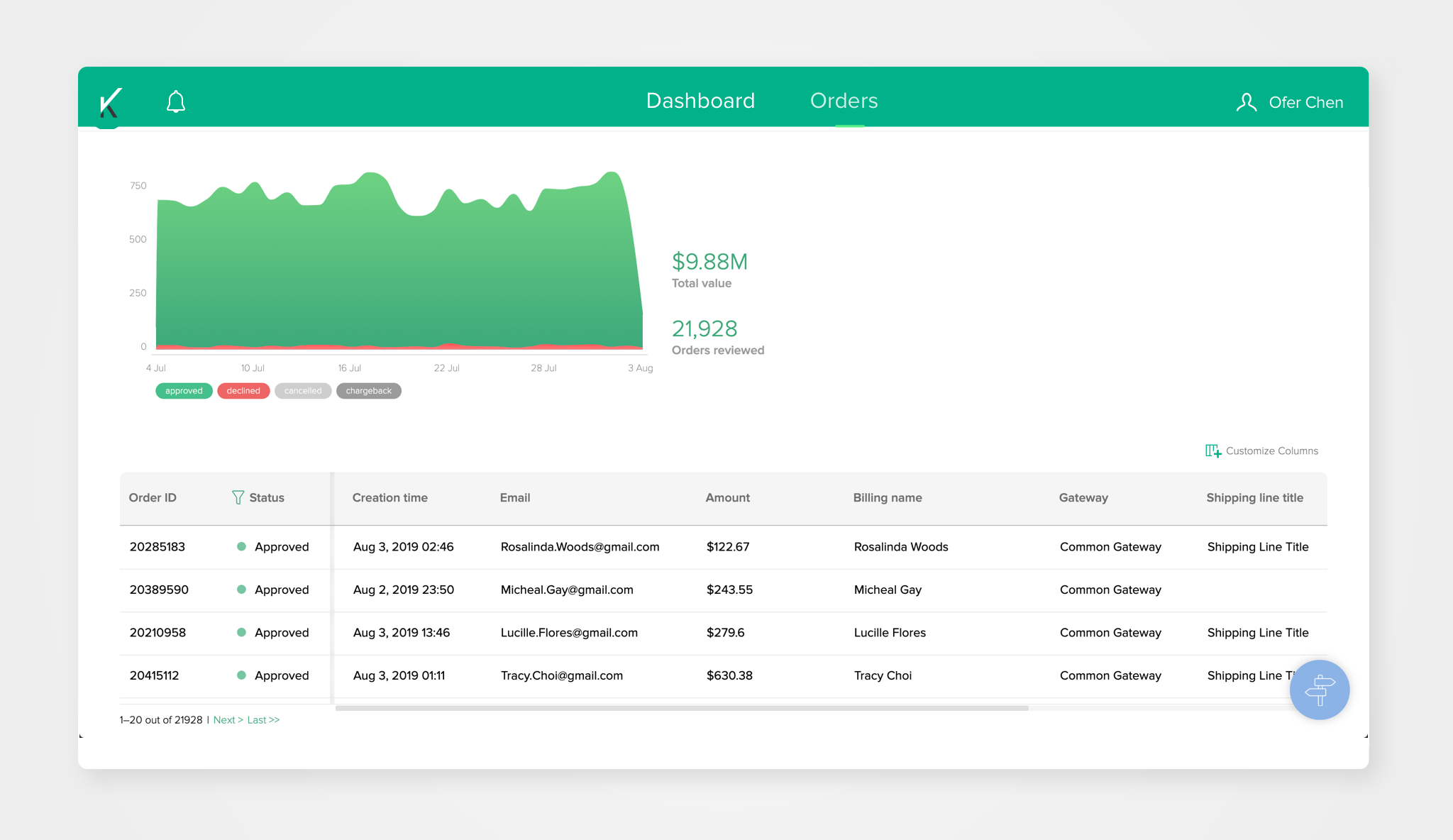
Orders tab
Customer support
Handle order-level actions such as chargebacks and disputes. Primarily work within the “Orders” tab to review and manage individual transactions.
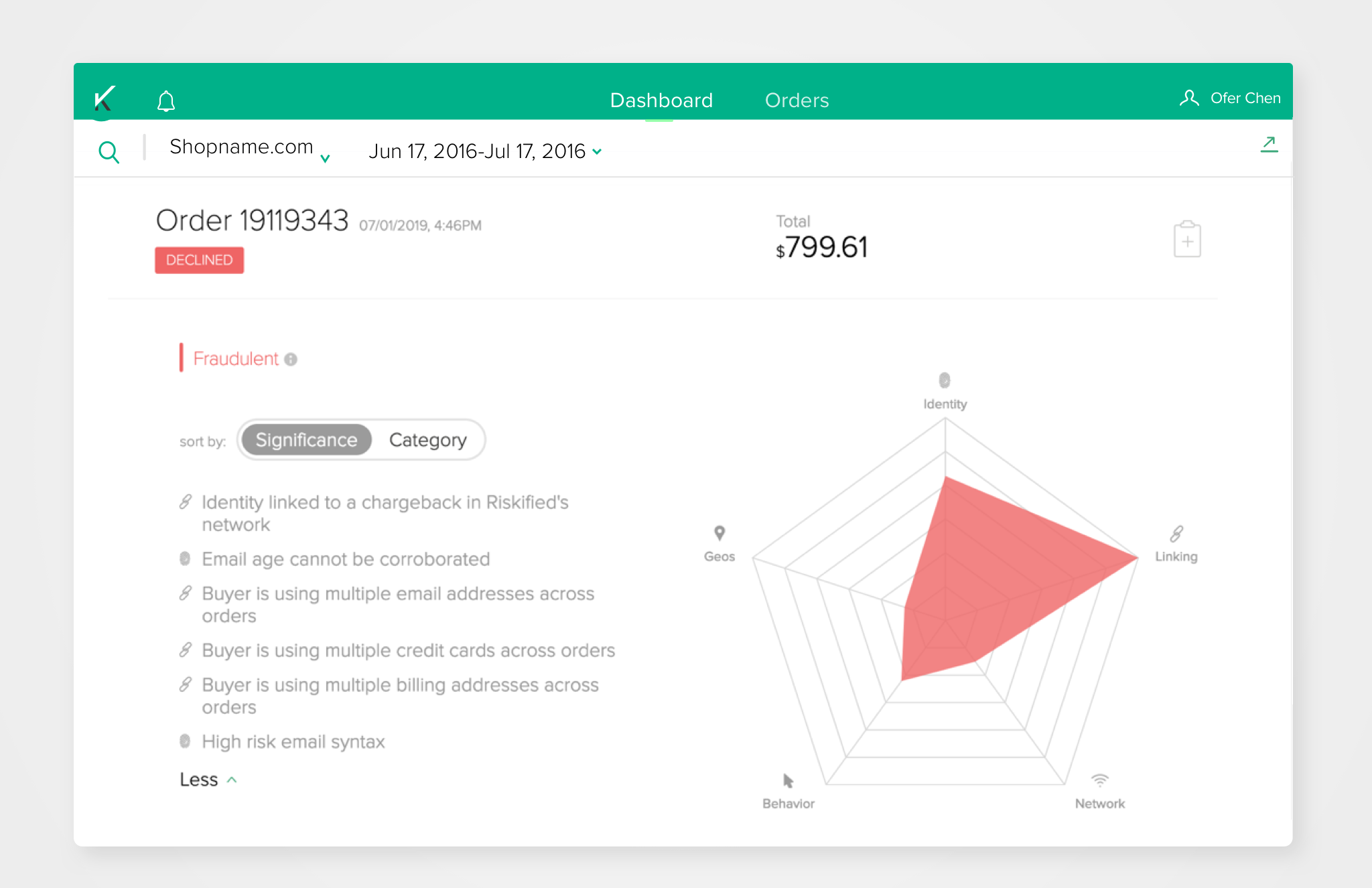
Declined-order vie
Melio payments | Bill pay and Invoicing Solution.
Years: 2017–2018
Role: Lead product designer, Core product
Melio’s mission is to help small business manage their payouts by providing a smart B2B payment solution tailor-made for their needs. As the Lead Product Designer for the company’s flagship product in its early market-fit stage, I had the opportunity to structure and design the initial user journey, including Onboarding and Progressive onboarding flows. I was also responsible for designing core features such as the Single payment and Batch payments flows.
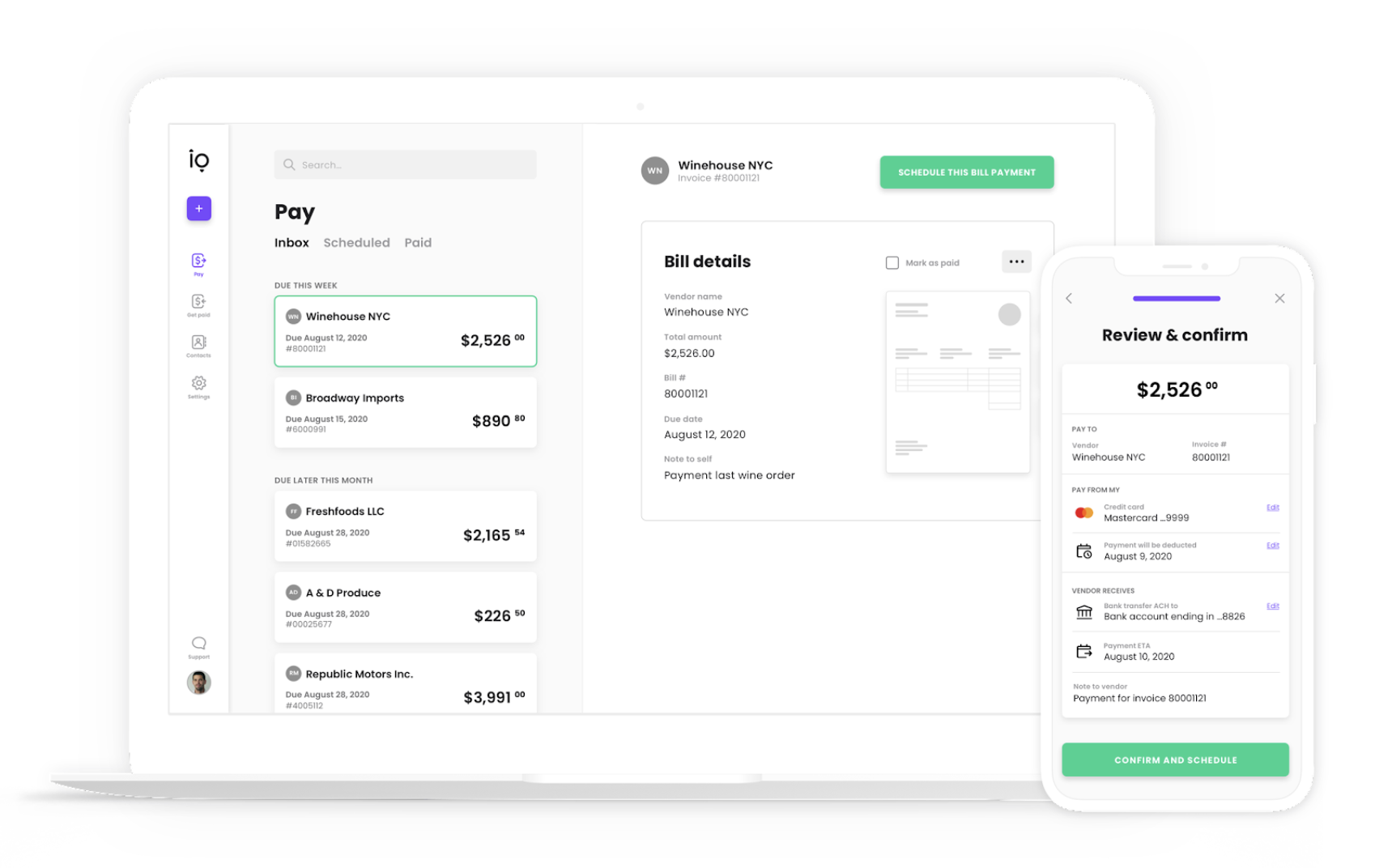
Melio's digital accounts payable and receivable dashboard provides a single, integrated tool that allows small businesses to transfer and receive payments quickly and easily, giving oversight and control over cash flow, eliminating late payment costs, and saving time.
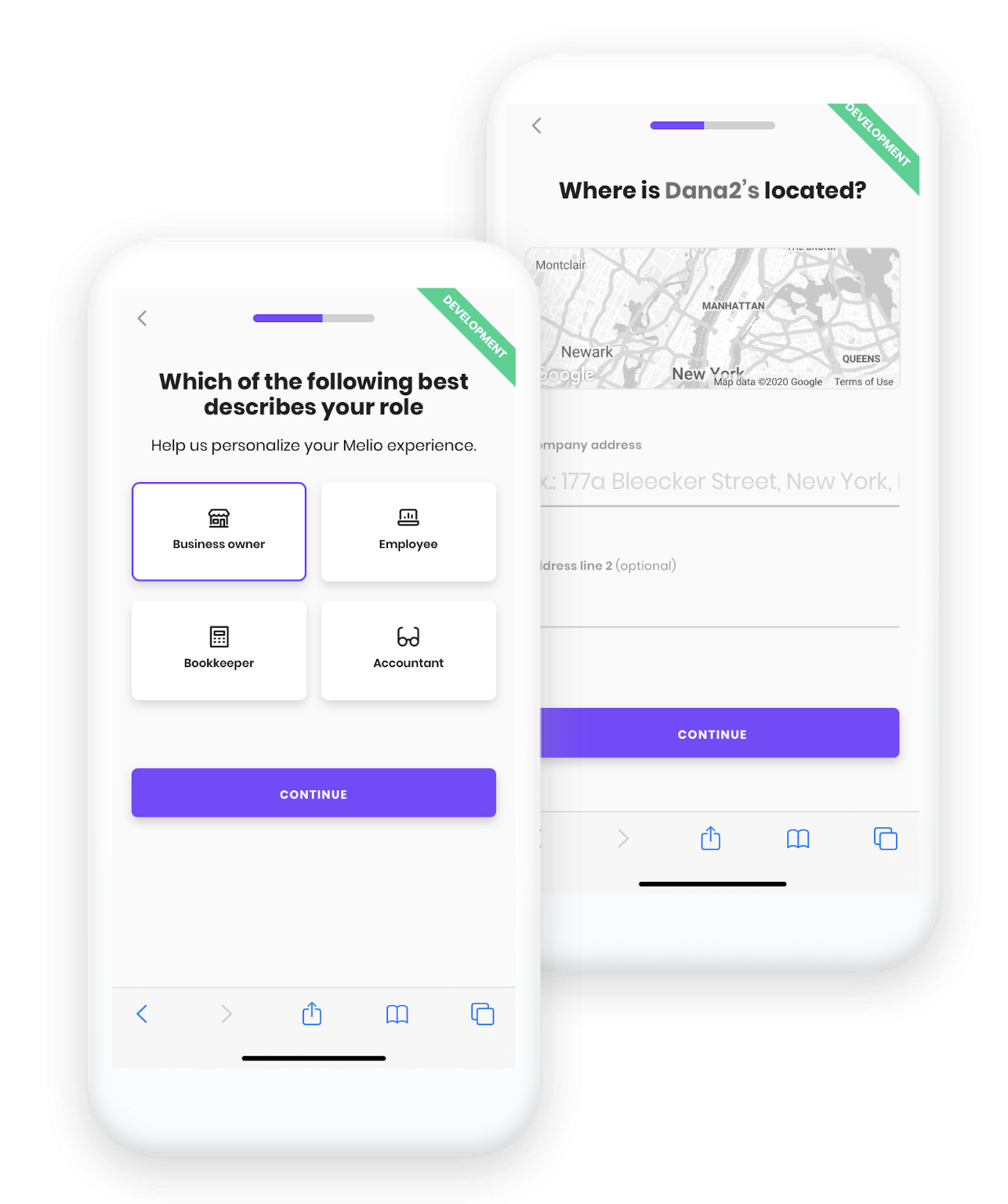
Onboarding flow
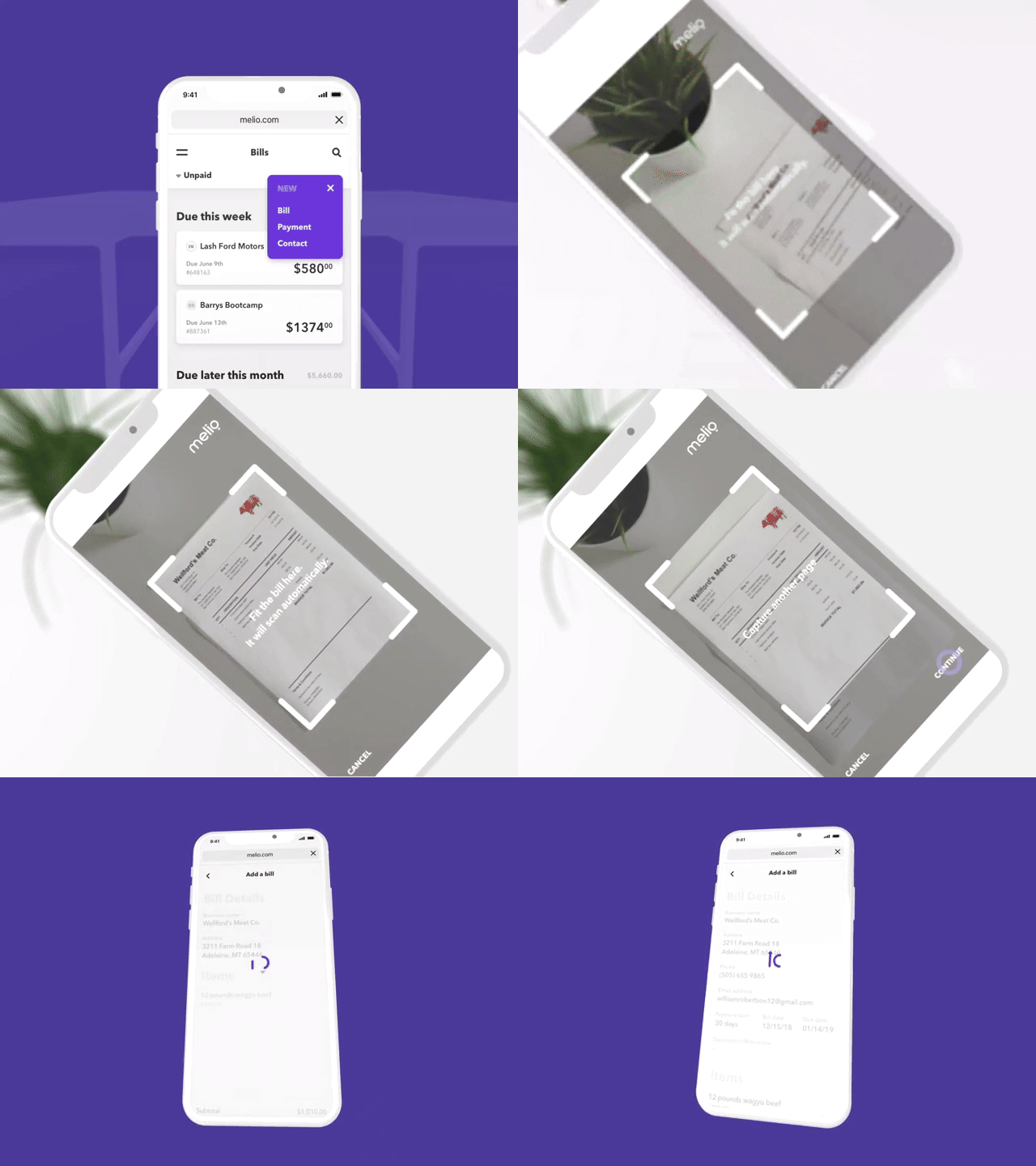
Upload & convert invoice ( IDP + OC R)
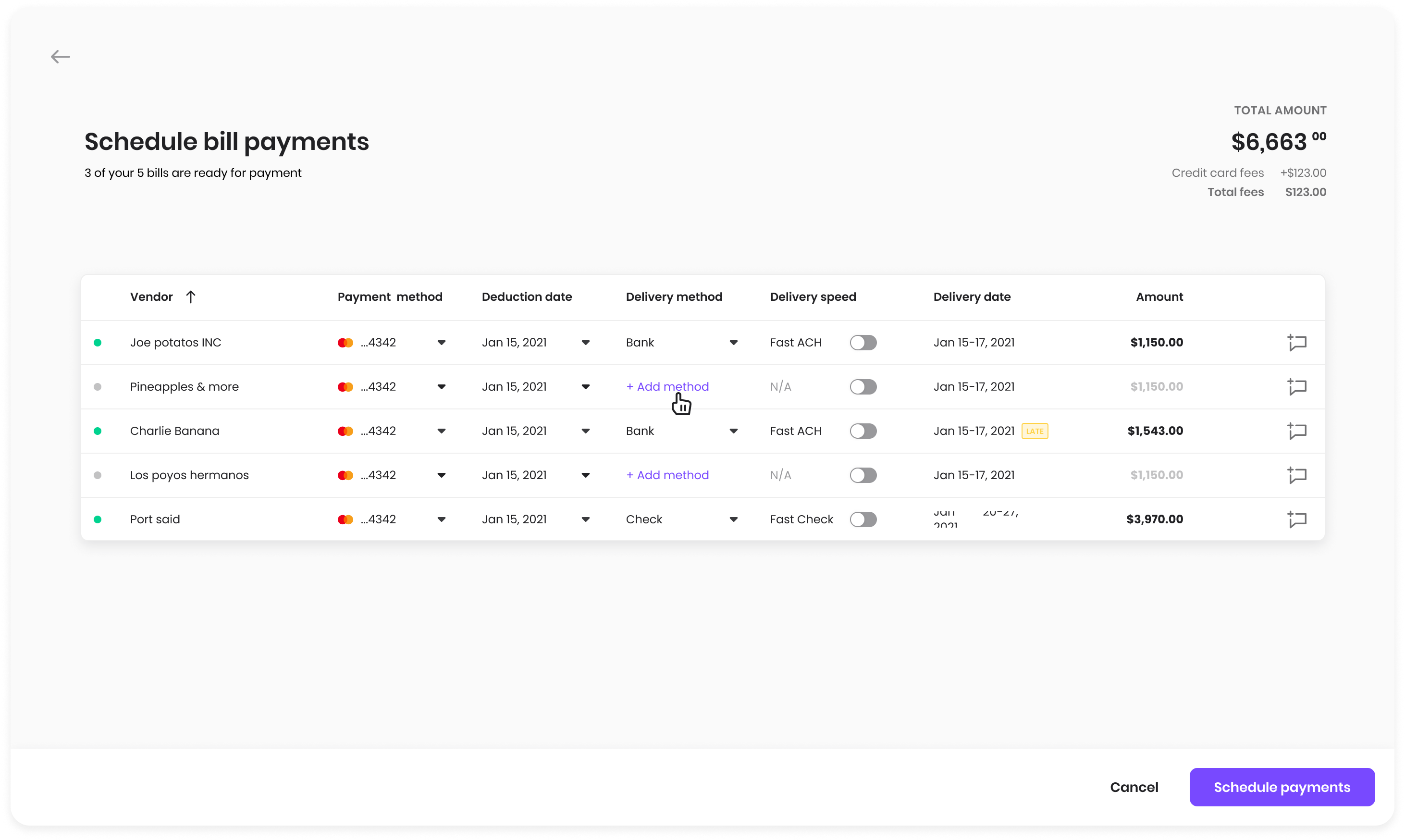
Batch payments flow
Case studies: 01 :Onboarding flow 02: Batch payments,
Deco payments User app & Visual identity
Deco is a B2C payment solution, that provides legitimate customers a way to pay
for their purchase on spot and be charged later, in case that their card was denied by the bank.

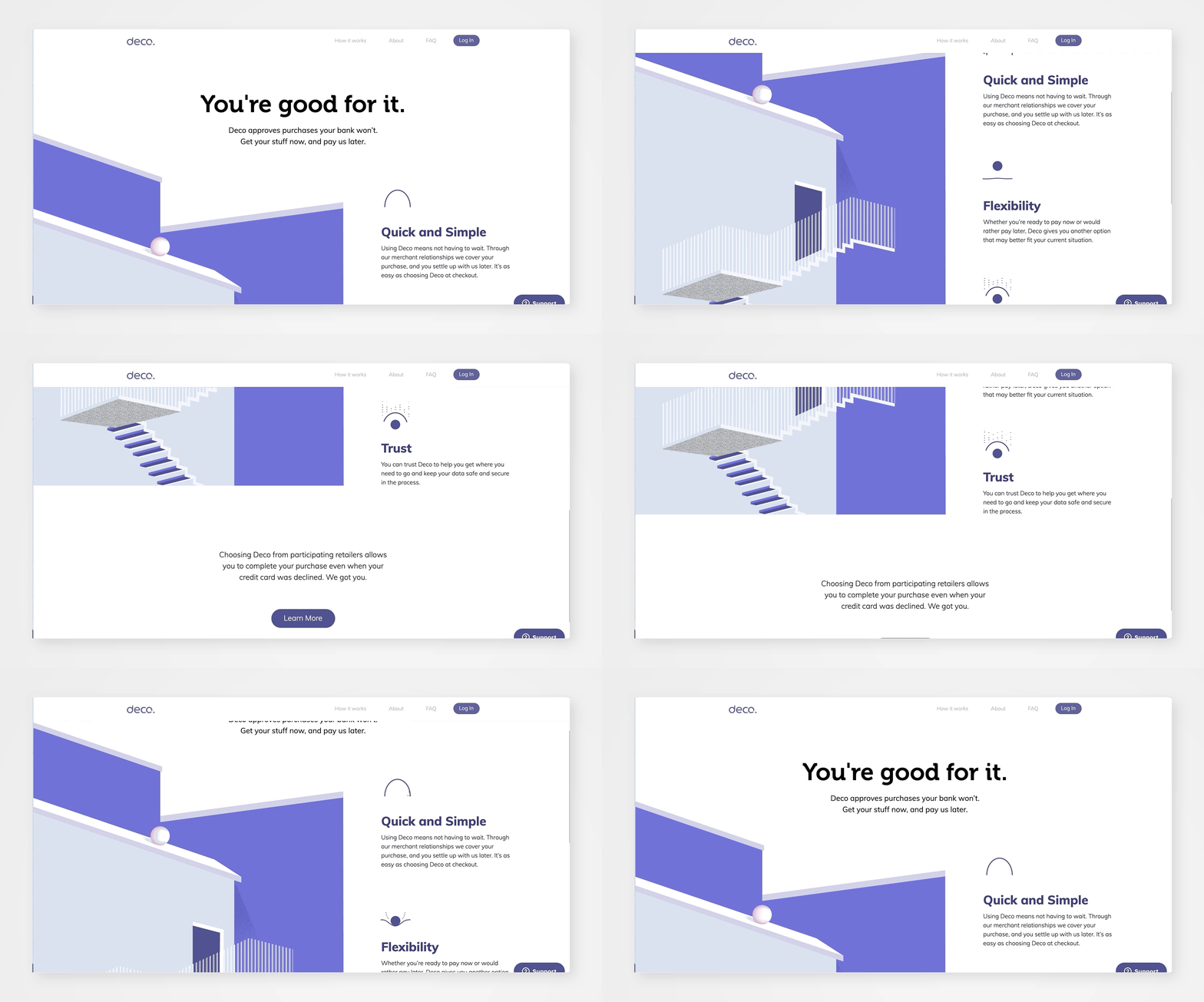
Visuals
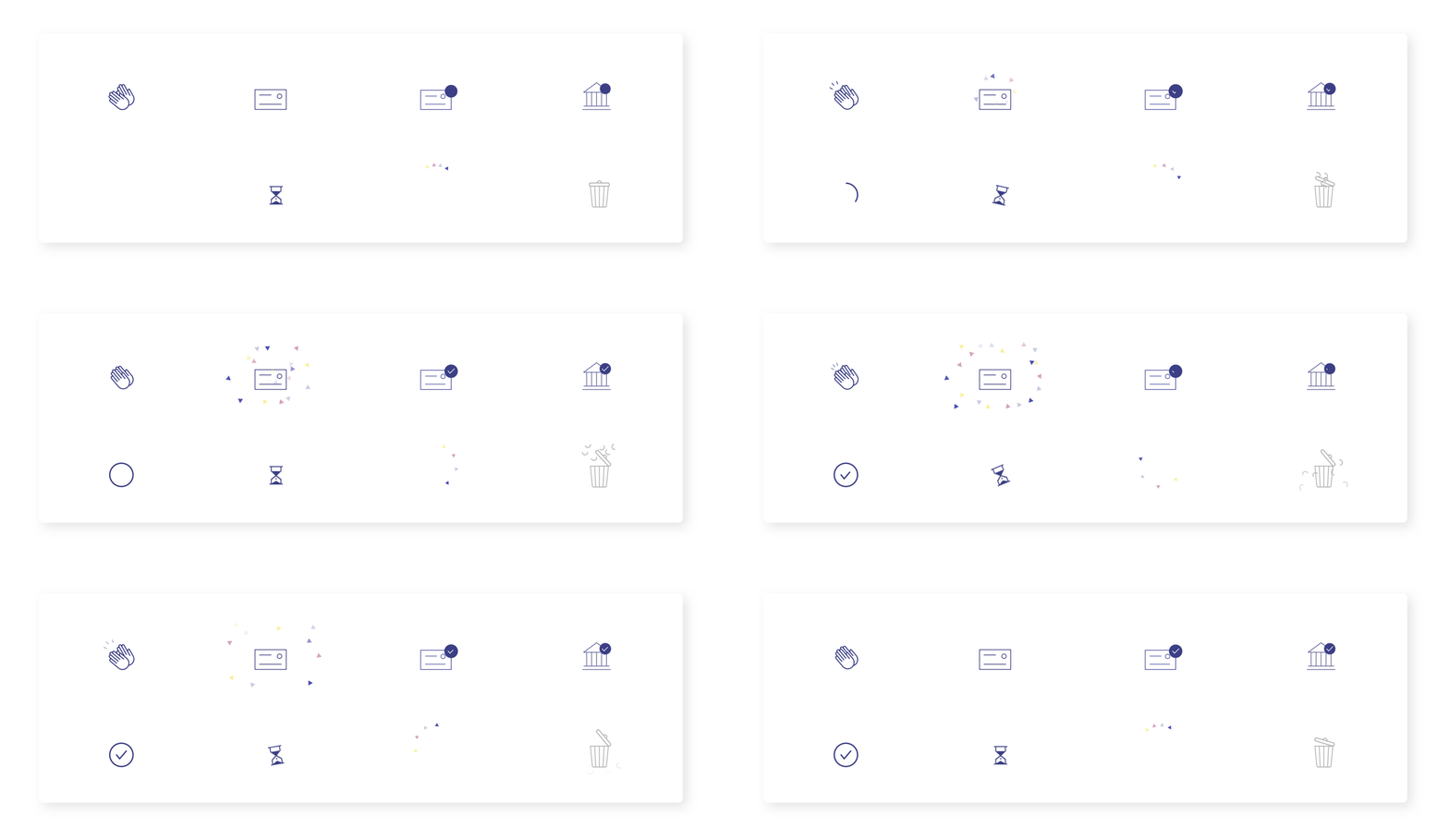
Interactive icons for value-proposition:

Website illustrations
The illustrations were inspired by geometric, minimalist architecture and aimed to reflect the feeling of “escape” routes and walkarounds a person can use when they are blocked.
The illustrations were inspired by geometric, minimalist architecture and aimed to reflect the feeling of “escape” routes and walkarounds a person can use when they are blocked.



User app interactions


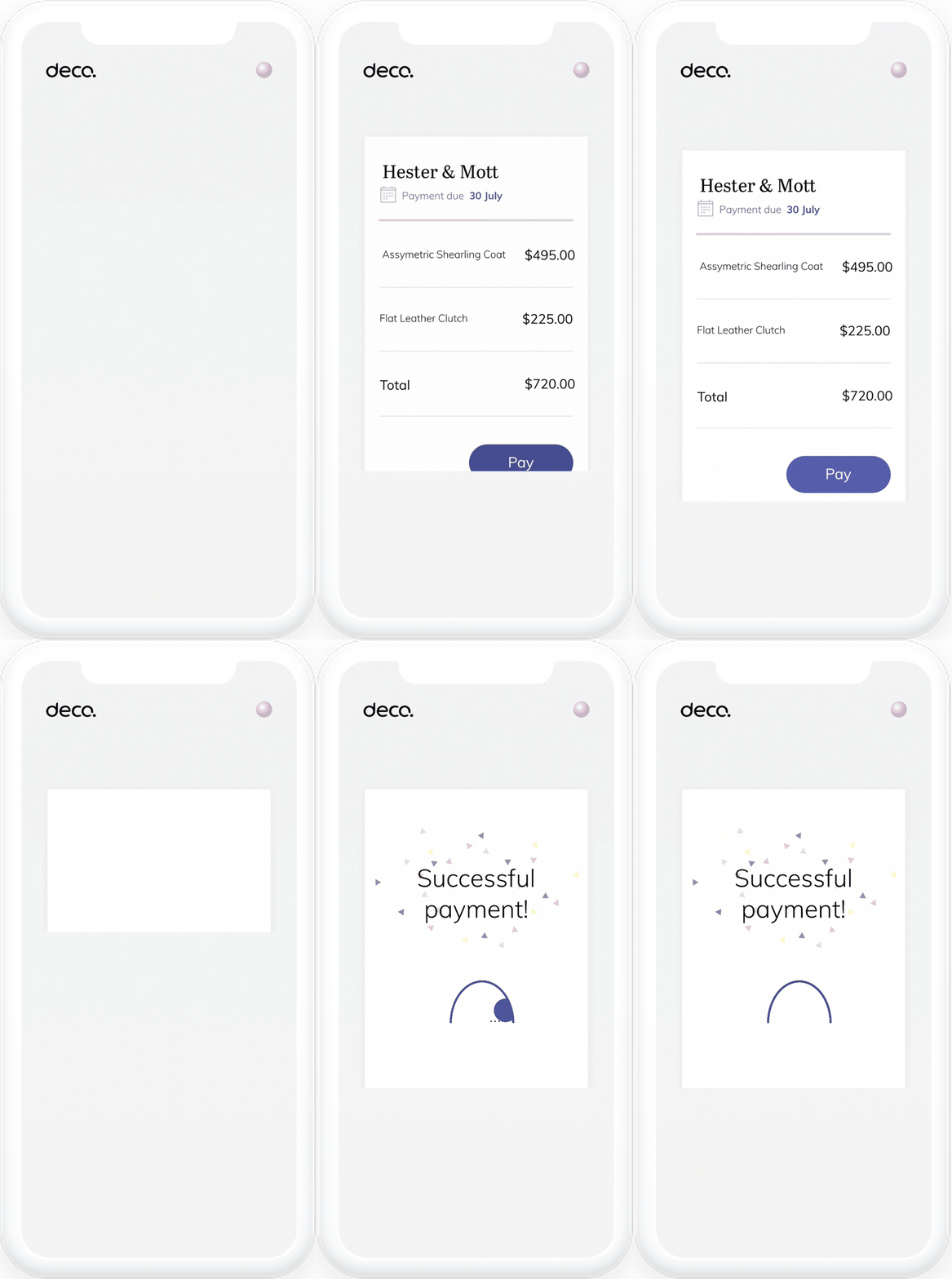
Deco payments User app
Team: B2C Product manager, PD, PMM,
My role: Lead designer, full product ownership
Deco is a B2C payment solution, that provides legitimate customers a way to pay for their purchase on spot, in case that their card was denied by the bank. After the order is submitted, the users has 2 weeks to login to the user-app, apply a payment method, and pay for their orders.
Deco offers two possible payment flows: “Schedule payment” and “Installments”. This app is a mini-app, due to the fact that in most cases there the user visit it only once, when they sumbit the payment.
User journy
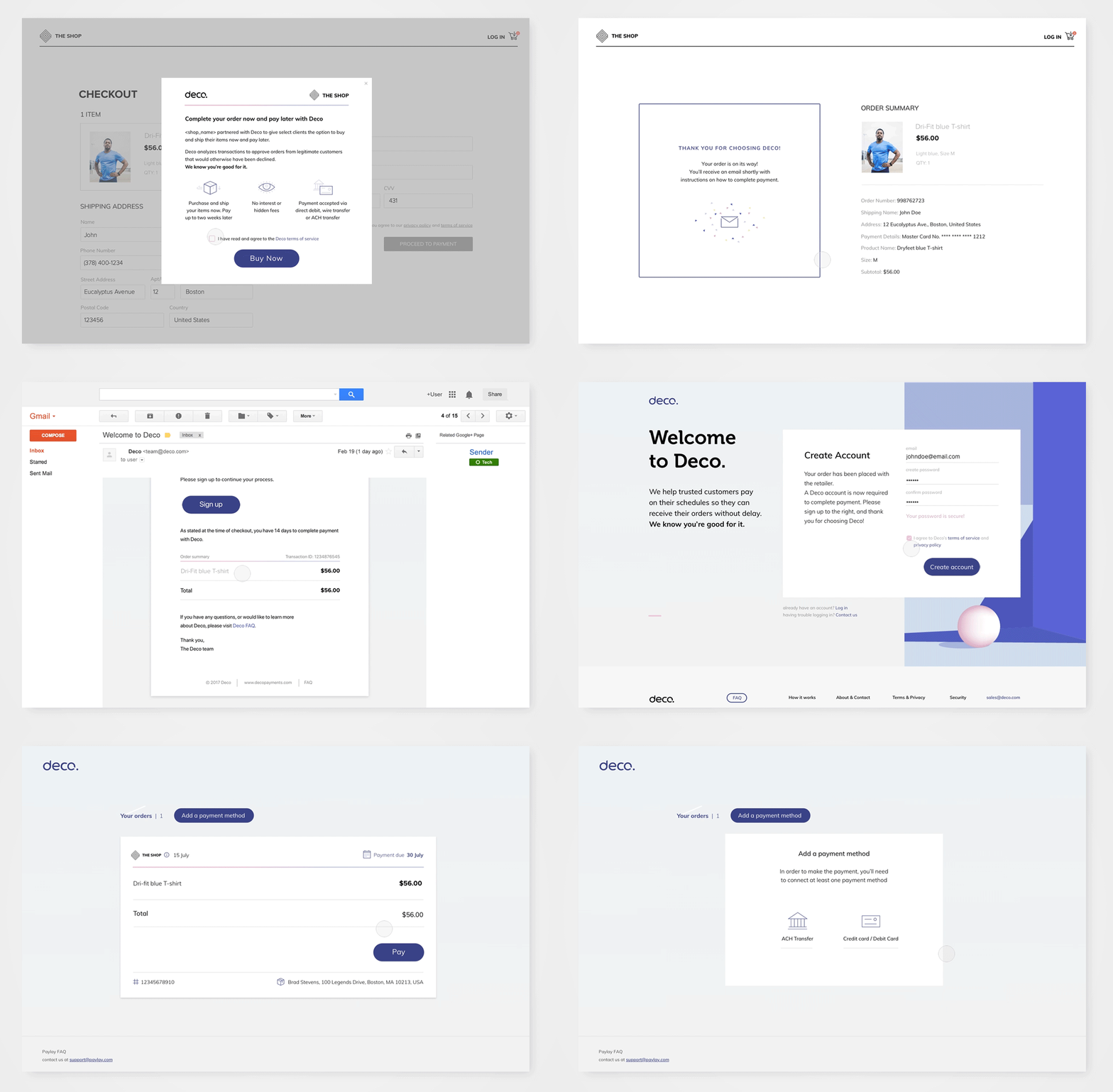
CASE STUDY
Establishing Deco “One pager” app
Business challenge
As Deco’s product evolved and new solutions were launched, we needed to rethink the user app to better serve customers completing different flows (e.g., Schedule Payment, Installments). Additionally, there was an inefficient in-app payment process that required simplification and improvement.
1. User survey
We partnered with a big fashion retailer and conducted an online survey targeting users who went through Deco’s flow during their purchase. We also included default users (those who did not return payment) and successful users who paid back.
The survey aimed to:
- Characterize users as either opportunistic (single-time users) or potential return users.
- Understand user perceptions and experiences.
Survey takeaways
- Lack of familiarity with our brand raised trust concerns.
- Users were overwhelmed with accounts and hesitant to use another service.
- Urgency played a significant role in user decisions.
- Some users did not understand the product flow.
C. User Survey- quotes
![]()

2. Mapping App Architecture
I mapped all possible flows and entry points, including emails, to identify key user actions upon entering the app.
D. User lifecycle
![]()

Final takeaways
- Deco’s user portal is unique: users don’t need to access it if everything goes well (“Happy Flow”).
- The urgency to access the app arises only when an order process fails.
Conclusion
We concluded that the app's main view should focus on a single order view, showcasing the current user order being processed.
This streamlined approach ensures the app addresses user needs effectively while improving the overall experience.
Schedule payment flow
![]()
![]()
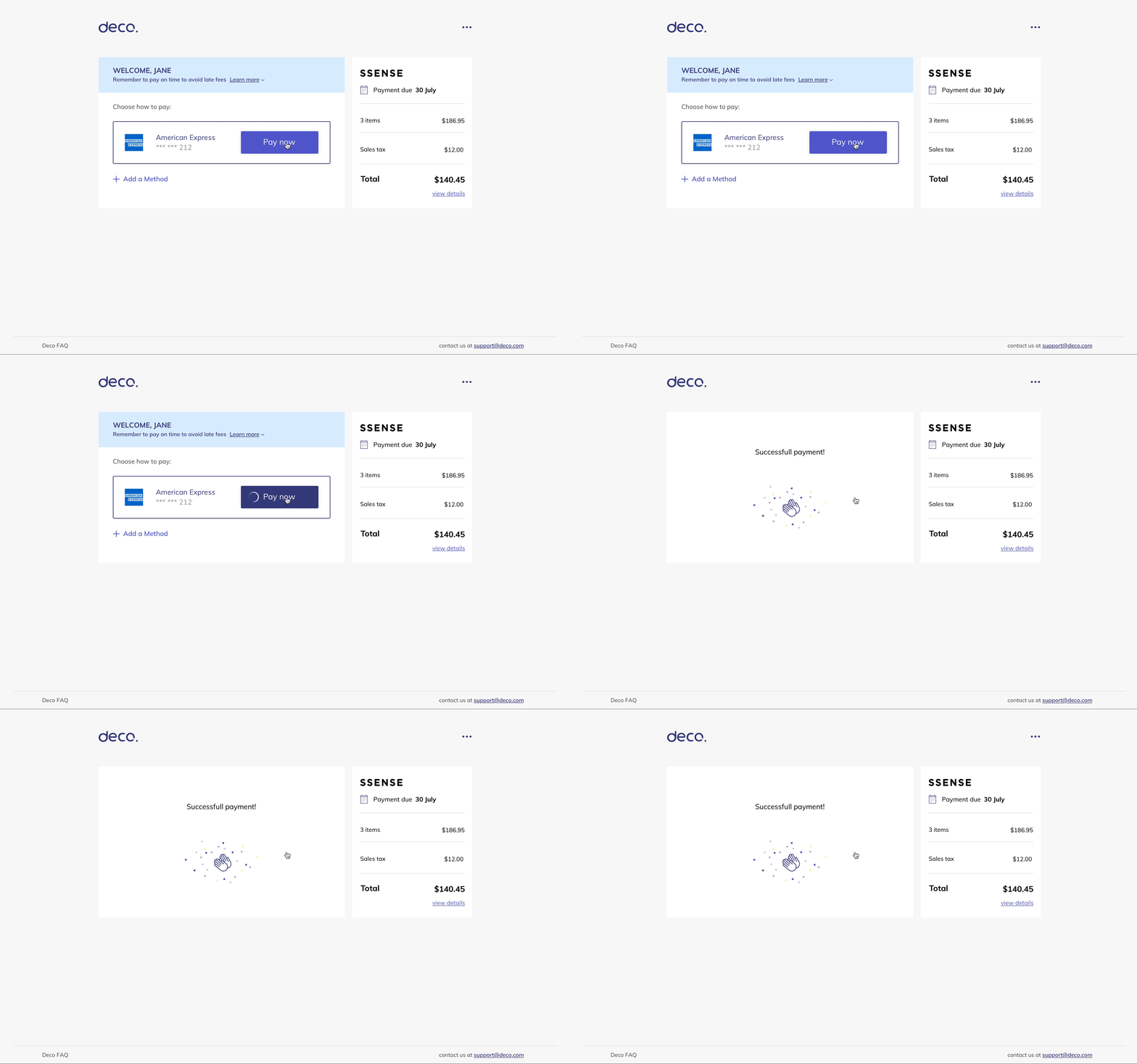
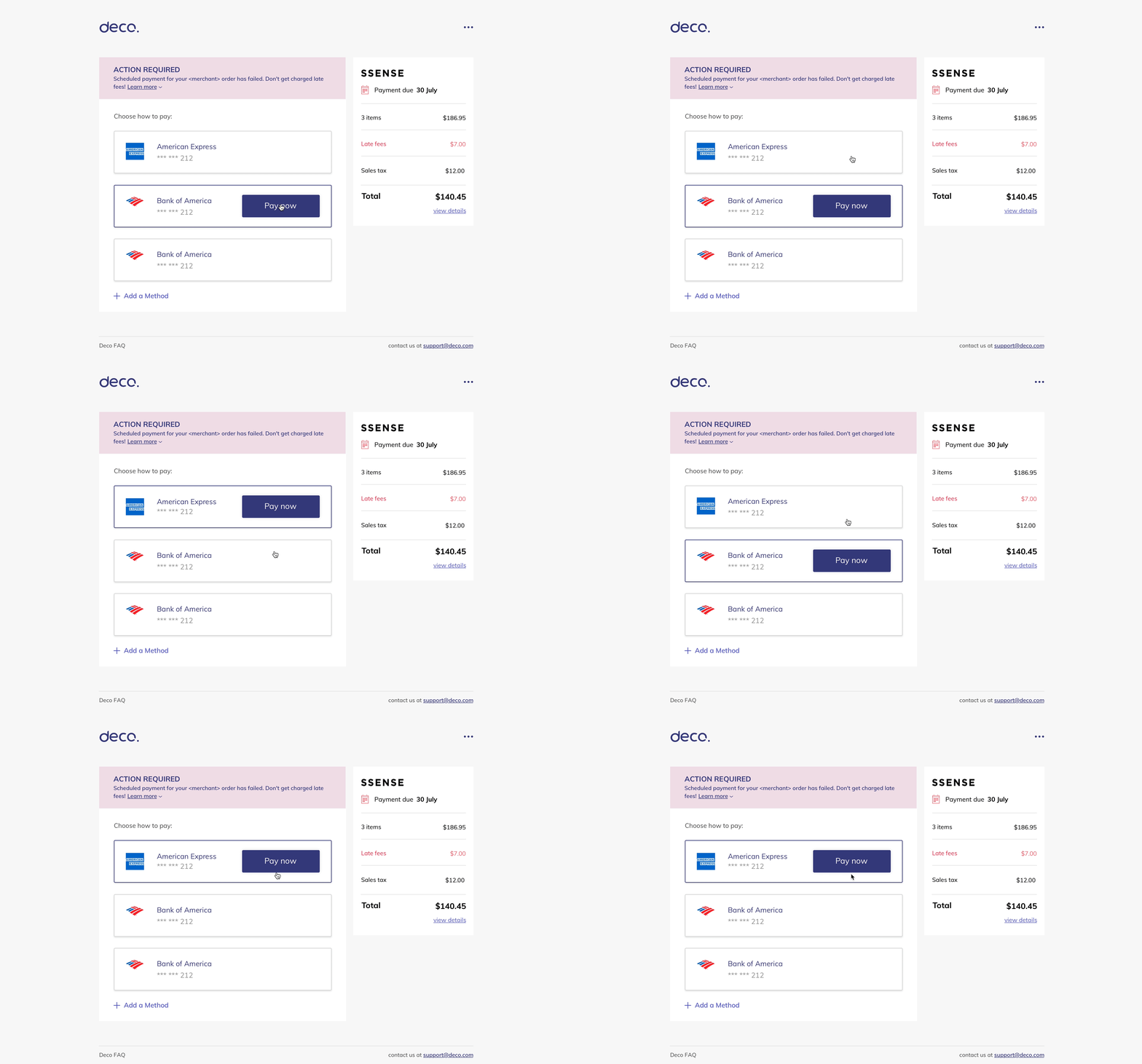
Installments flow


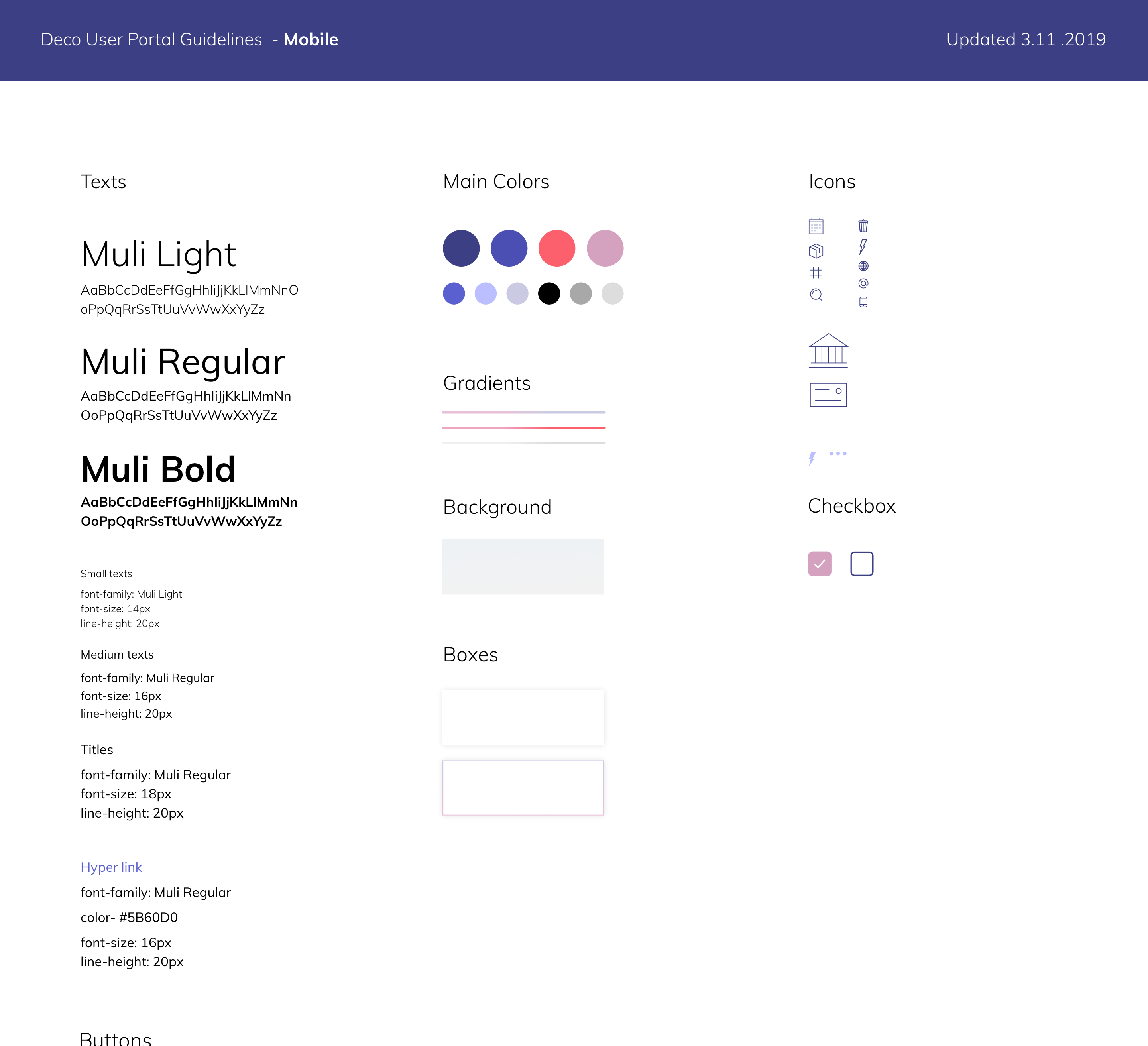
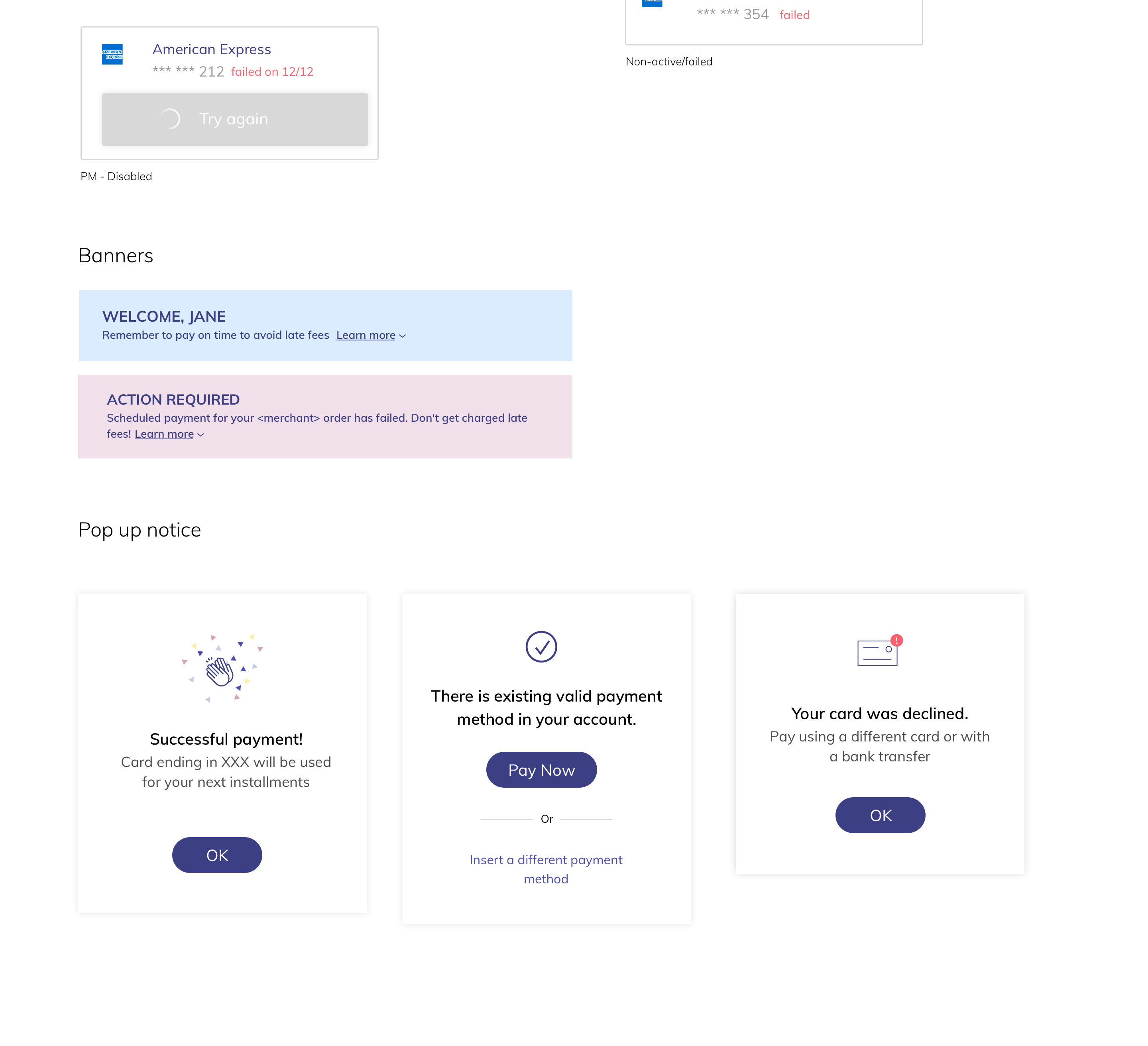
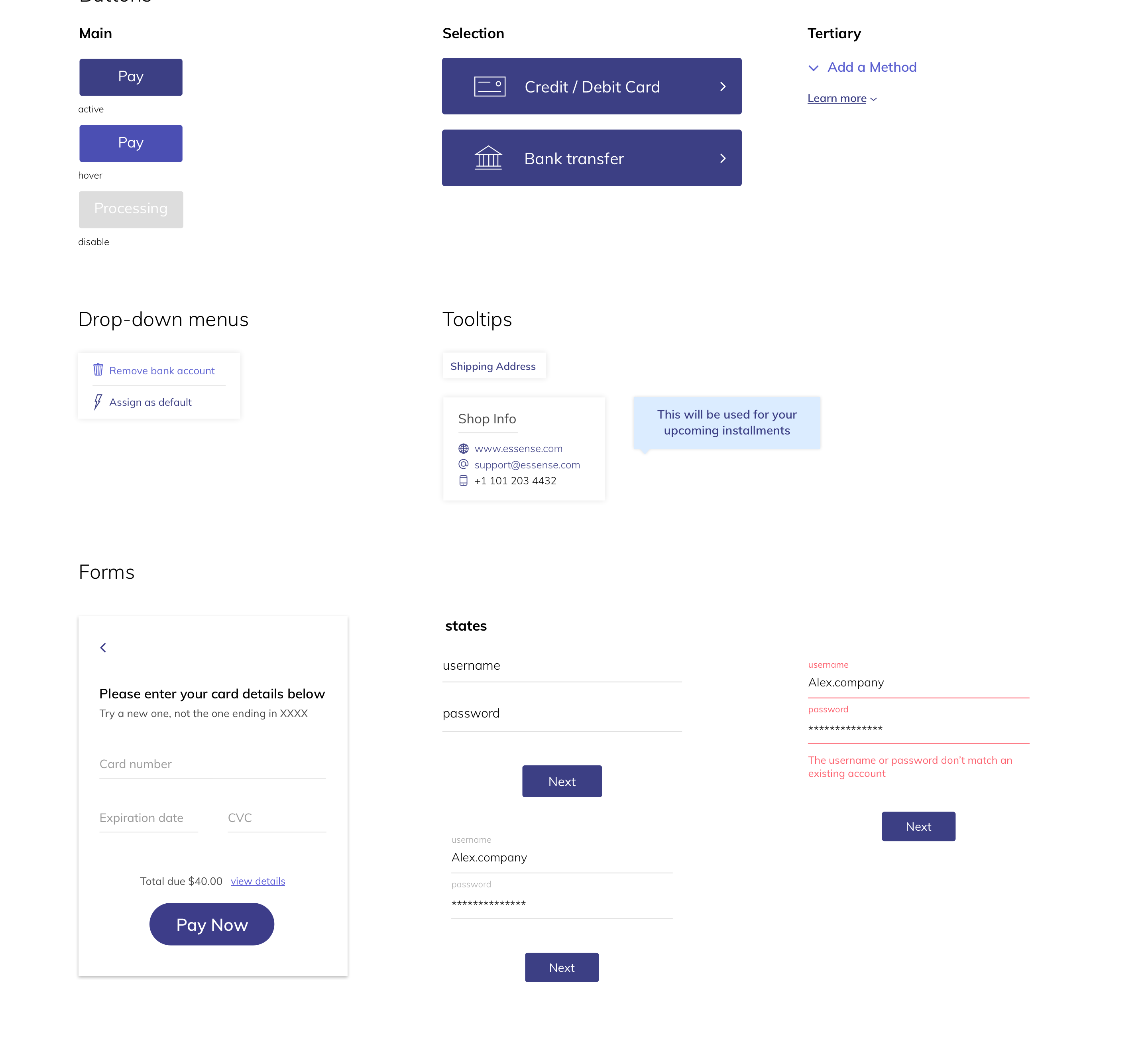
Language & styleguide
![]()
![]()
![]()
![]()
![]()